Author name: Prospects Hive

Content Partnership Specialist

What is agentic ai
Automation

What is Agentic AI? A Practical Guide for Modern Automation Teams

Agentic AI is everywhere right now. In product launches, boardroom decks, and “next big thing” threads. But most explanations blur the lines between generative AI, AI agents, and automation. That creates more noise than clarity. Especially for B2B teams trying to decide what actually matters and what can wait. Agentic AI matters in 2025–2026 because it marks a real shift. From AI that responds to prompts, to AI that can plan, decide, and take action across systems. In this guide, you’ll learn what Agentic AI really is, how it works at a practical level, and where it fits in modern automation for sales, marketing, and operations. Key Notes in 60 Seconds Agentic AI = AI that can pursue a goal and take multi-step actions with limited supervision It often uses LLMs + tools/APIs + memory + guardrails It’s not “just ChatGPT” and not “just automation” Best for workflows that are messy, multi-step, and change over time Biggest risk: autonomy without governance What is Agentic AI? Agentic AI refers to AI systems designed to act independently, make decisions, and adapt to changing environments. These agents are not limited to predefined scripts; they can interpret context, learn from interactions, and adjust their behavior to achieve desired outcomes.  To put simply, Agentic AI:  Is goal-driven, not task-tied. Can break big goals into smart, bite-sized moves. Is a self-starter, doesn’t wait for a human greenlight to act. Can remembers past wins (and failures) to get sharper next time. Agentic AI vs Generative AI vs AI Agents vs Traditional AI The confusion around agentic AI usually starts here. Many teams hear the term and assume it is just a smarter chatbot or a new name for automation. But the truth is, it is not.  The difference becomes clear when you compare how each type of AI behaves, what it is designed to do, and how much autonomy it actually has. Let’s break it down in simple terms. Agentic AI vs Generative AI The core difference is output vs outcome. Generative AI is built to create content. You give it a prompt, and it produces text, images, code, or summaries. It reacts to instructions. Once it generates the output, its job is done. Agentic AI is built to achieve outcomes. It does not stop at generating content. It plans, executes, checks results, and adjusts. It can use tools, call APIs, update systems, and continue working toward a goal. For example, generative AI can write a marketing email. Agentic AI can draft the email, send it to a segmented list, monitor responses, update the CRM, and automatically adjust follow-ups. Generative AI is often the brain. Agentic AI is the system that puts that brain to work. Agentic AI vs AI Agents This is where many people get the terminology wrong. AI agents are individual software entities that perform tasks. They might follow rules, respond to conditions, or handle a specific workflow. Agentic AI is the broader system that coordinates these agents toward a larger objective. Think of AI agents as tools in a toolbox. Agentic AI is the architect using those tools to build something bigger. There are 2 common structures: Single-agent systems: One intelligent agent handles a defined workflow. Multi-agent systems: Multiple specialized agents collaborate. One may plan, another may execute, and another may monitor results. All agentic AI systems use AI agents. But not all AI agents qualify as agentic AI. The differences lie in autonomy, coordination, and goal management. Agentic AI vs Traditional AI Traditional AI systems are typically narrow and reactive. They perform predefined tasks: Classifying images Predicting churn Flagging suspicious activity They operate within fixed boundaries and rarely adapt outside their programming. Many prompt-response assistants also fall into this reactive category. They respond when asked but do not independently plan or take initiative. Agentic AI works differently. It can: Break down high-level goals into steps. Use multiple tools across systems. Adapt when conditions change. Learn from feedback Quick Comparison Summary Attribute Traditional AI Generative AI AI Agents Agentic AI Primary Role Prediction or classification Content creation Task execution Goal-driven execution Autonomy Low Low to moderate Moderate (task-specific) High (goal-oriented) Behavior Reactive Reactive Semi-autonomous Proactive and adaptive Workflow Type Static Single-step output Task-focused Multi-step, coordinated External Systems Limited Limited (some RAG) Yes Yes, across multiple tools Goal Management Predefined task Output defined by user Task-based Defines and executes action plan For modern B2B teams, this distinction matters. If your objective is to generate content, generative AI is enough. If your objective is to execute complex, multi-step workflows across tools and adapt in real time, that is where agentic AI begins to make sense. How Does Agentic AI Work? The 5-Step Loop At its core, agentic AI operates in a structured loop. It does not simply respond once and stop. It moves through a cycle of observing, deciding, acting, and improving. This loop allows it to handle multi-step goals rather than single prompts. Here is the process in simple terms. Step 1: Perceive Every agentic system begins by gathering context. It pulls signals from multiple sources: User inputs Databases and CRMs APIs and SaaS platforms Logs, documents, and dashboards Sensors or system events ⚡How to Use Intent Signals to Get More B2B Sales These inputs can be structured, like rows in a database. Or unstructured, like emails, PDFs, or support tickets. The goal of this stage is simple: understand the current state of the environment. Without accurate context, the rest of the loop breaks. Step 2: Reason and Plan Once the system understands the situation, it needs to decide what to do. This is where large language models often act as the reasoning engine. They interpret the goal, analyze constraints, and break a high-level objective into smaller, executable steps. For example, instead of “Increase customer retention,” the system may break it into: Identify at-risk accounts Review recent engagement history. Draft personalized outreach Schedule follow-up tasks At this stage, the system also selects which tools it needs. It determines whether it must query a
The future of outbound sales
Outbound Tips and Basics

The Future of Outbound Sales: How to Adapt and Win

Outbound sales still works. What doesn’t work anymore is how most teams are doing it. Mass outreach initiatives together with generic messaging approaches and volume-first operational methods are becoming less effective. Competition has increased and compliance requirements have become stricter as buyers now make more selective purchasing decisions. The combination of AI and intent data together with integrated tech systems enables organizations to identify target audiences precisely while maintaining the human touch.  This shift is creating a clear divide. Teams that adapt are building predictable pipeline engines. Those that don’t are seeing diminishing returns. In this blog, we zoom in on the future of outbound sales, breaking down what’s changing, what matters now, and how to adapt your outbound strategy to win. Quick Takeaways for Skimmers Outbound sales is shifting from volume to signals. AI-powered outbound works only when paired with real intent data. The outbound sales process is becoming system-driven, not rep-driven. Multichannel and multi-threading are now baseline, not advanced tactics. Teams that win focus on relevance, timing, and data quality. Predictable revenue comes from connected systems, not isolated campaigns. What is Outbound Sales? Outbound sales is the process of proactively reaching out to potential customers through channels like email, cold calling, and LinkedIn. Unlike inbound sales, where leads come to you, outbound requires: Identifying prospects Initiating contact Driving conversations The traditional outbound sales process includes: Prospecting Lead generation Outreach Follow-ups Conversion In B2B outbound sales, this is often handled by SDRs or outsourced SDR teams. But the future of outbound sales is changing how each of these steps works. In fact, teams using AI are experiencing 1.3x revenue growth. Also read: Inbound vs Outbound Sales: Which Strategy Builds a More Predictable Pipeline? What’s Changing in Outbound Sales The biggest shift is simple: Old outbound relied on volume. Modern outbound relies on timing and relevance. Today’s outbound sales experience is defined by: Overcrowded inboxes. Low response rates. Decreasing trust in cold outreach. Cold calling and generic outbound calls still exist, but they are no longer effective at scale without context. Because 57% of the buyer journey is completed even before a buyer talks to a salesperson. Here’s what’s breaking: Sending more emails no longer increases results Generic messaging gets ignored Disconnected tools create inefficiency This is why many outbound sales teams are struggling to build predictable revenue. Because the future of sales is not about doing more outreach. It’s about doing the right outreach at the right time. Key Trends Reshaping Outbound Sales 1. Data-Driven Intent Intent data is becoming the foundation of outbound prospecting.  Instead of guessing who to contact, teams can now track: Hiring signals Funding announcements Product launches Website activity This allows sales agencies and B2B sales teams to engage prospects when they are already in a buying mindset.  Also read: Intent Signals: The Missing Link in Your B2B Sales Strategy 2. Hyper-Personalization & AI AI-driven outbound sales enables personalization at scale. AI can: Analyze company data Identify pain points Generate contextual messaging But AI-powered outbound only works when it’s fed with accurate data and clear signals. Without that, it just becomes automated spam. 3. “Human-in-the-Loop” Automation Automation is essential, but full automation doesn’t work. Modern outbound strategy combines: AI for research and execution Humans for judgment and messaging This ensures outreach stays relevant and authentic. 4. Multichannel Approach Outbound marketing is no longer limited to email. Winning teams now combine: Email LinkedIn outreach Cold calling Content engagement This creates multiple touchpoints and increases response rates. 5. Tech Stack Consolidation Sales teams are moving toward integrated systems. Instead of disconnected tools, they use: CRM systems Sales automation platforms Data enrichment tools This reduces friction and improves visibility across the outbound sales process. 6. Focus on Trust and Compliance Lastly, compliance and trust are becoming critical. With stricter regulations and smarter buyers: Low-quality outreach damages brand reputation. Data privacy matters more than ever! So to sum up, outbound strategies must now balance scale with responsibility. Traditional vs. Future Outbound Strategies: Quick Comparison Here is a quick glance at how future outbound differs from the old outbound strategies we’ve been using:  Aspect Traditional Outbound Strategies  Future Outbound Strategies  Core Approach Mass outreach via cold calling, emails, direct mail, ads, billboards. Personalized, data-driven targeting with AI and intent signals. Technology Use Minimal; manual processes and basic tools. AI automation, predictive analytics, real-time insights. Personalization Generic, one-size-fits-all messaging. Hyper-personalized at scale using prospect data. Focus Volume and broad reach. Quality, relevance, and timing. Response Rates Low due to interruption. Higher with signal-based, value-adding outreach. Outbound Strategies to Implement Now (Here’s How to Adapt) 1. Signal-Based Prospecting Static lists are now outdated. Modern outbound prospecting starts with identifying buying signals, not just ICP fit. Instead of building lists based only on: Industry, company sizes, or job titles. Signal-based outreach achieves 15-25% reply rates compared to generic outreach. High-performing B2B sales teams can track: Hiring for specific roles (e.g. ops, sales, CX) Funding rounds or expansion Leadership changes Product launches or new initiatives For example: A company hiring multiple SDRs likely has pipeline pressure. These signals give you context before the first touch. This is what turns outbound from guesswork into a timing advantage. 2. Hyper-Personalization at Scale Personalization is no longer about adding a first name or company line. It’s about showing 2 crucial things: You understand their current situation. You’re reaching out for a specific reason. AI-driven outbound sales helps here by: Analyzing company data Summarizing key insights Generating tailored angles But the key is structured inputs. Strong personalization comes from: Signal → Insight → Message For example, instead of using: “Noticed your company is growing…” Use: “Hiring multiple leasing coordinators while managing 200+ units usually creates operational bottlenecks.” That level of specificity increases reply rates because it feels relevant, not automated. 3. Omnichannel Cadences Relying on a single channel limits your reach. Modern outbound strategy uses coordinated multichannel sequences. A simple cadence might look like: Day 1: Email Day 2: LinkedIn connection Day 4: Follow-up email Day 6:

Cold Email vs LinkedIn
Email Marketing, LinkedIn

Cold Email vs LinkedIn: The Real Outbound Performance Breakdown

Outbound is harder than ever. Buyers are flooded with emails, DMs, ads, and notifications every day. Attention is limited. Trust is fragile. And generic outreach gets ignored fast. So the real question is not “Cold Email vs LinkedIn: which is better?” It’s this: Which channel fits your ICP, your offer, and your ability to scale? In this guide, you’ll get a clear side-by-side comparison, a simple 5-minute decision framework, and a practical hybrid playbook you can apply immediately. No theory. Just what actually works in modern B2B outbound. Quick TL;DR for Busy Founders Cold email = scale + targeting precision LinkedIn = trust + context Email struggles with deliverability LinkedIn struggles with volume limits Reply rate ≠ booked meeting rate The best outbound teams use both strategically What is Cold Email? Cold email is a scalable way to start conversations with people who don’t yet know you. At its best, it’s built for high-volume outreach, precise ICP targeting, and structured follow-ups. It works especially well in short-to-mid sales cycles, where buyers actively check their inboxes. But cold email breaks fast when the setup is weak. Poor deliverability, bad data, generic messaging, no CRM tracking, or sending too much too quickly can kill results. It’s the smart first move when your market is large, you need a predictable pipeline, and your buyers are inbox-driven professionals. 💡 When a Brand Decides to Use Email Marketing What are LinkedIn Messages? LinkedIn messages are direct conversations inside a professional network. Unlike email, your message sits next to your profile, content, and shared connections. That context builds trust before you even say a word. ‘From CEOs to department heads, LinkedIn is where key stakeholders actively engage.’ LinkedIn is best used as a warmer first touch. It helps you build familiarity before pitching, especially when targeting high-level roles or selling into long B2B sales cycles. It works well when relationships matter more than volume. But it has limits. There are weekly caps on connection requests and DMs. Weak profiles reduce credibility. Over-automation triggers restrictions. And generic connection requests get ignored fast. ⚡How Do I Develop an Email List from Linkedin Contacts? Cold Email vs LinkedIn: Head-to-Head Comparison That Actually Helps When comparing cold email and LinkedIn, most marketers focus on reply rates. That’s not enough. You need to compare how each channel behaves in real outbound systems. Let’s have a quick look at the head-to-head comparison table. Factor Cold Email LinkedIn Outreach Best for Large TAM, broad prospecting High-value, targeted accounts Speed to first reply Slower, depends on inbox behavior Often faster due to platform activity Scale potential Very high with multiple mailboxes Limited by weekly caps Built-in trust Low initially Higher due to profile context Risk Spam filtering, domain damage Account restrictions, action limits Cost per contact Very low Higher (time or premium tools) Effort required Technical setup + list building Profile optimization + manual engagement Ideal use case Predictable pipeline generation Relationship-first, enterprise outreach Cold email gives you reach and control. LinkedIn gives you context and trust. The trade-off is scale versus warmth. Why Reply Rates Are Misleading A 10% reply rate on LinkedIn does not automatically mean 10% booked meetings. Many replies are casual, exploratory, or redirect you elsewhere. On the other hand, a 2% email reply rate at scale can generate more meetings and revenue simply because volume multiplies impact. The metric that matters is not reply rate. It’s booked meetings and the cost per acquisition. Serious teams track meetings, pipeline value, and conversion to revenue. Replies are just an early signal. Pros and Cons Pros and cons of cold email are,  Pros Cons Highly scalable Deliverability risk Precise targeting Inbox fatigue Full control over sequence and timing Technical setup required Pros and Cons of LinkedIn are, Pros Cons Profile context builds trust. Weekly limits Higher initial engagement IPlatform enforcement risk Easier access to high-level roles Slower to scale Each channel has strengths. Neither is universally better. Best Practices  Best practices of Cold Email are,  Warm up domains before scaling. Use 3–5 follow-ups minimum. Keep emails under 125 words.  Include one clear, simple CTA. Configure SPF, DKIM, and DMARC properly Keep it relevant, short, and meaningful because one personalized note always wins over ten generic pitches. ⚡ How to Write a Cold Email That Gets Replies Best practices of LinkedIn are,  Optimize your profile before sending messages. Engage with content before pitching. Keep DMs short and direct. Reference something specific and real. Avoid pitching in the first message. Current Trends Deliverability is the Real Bottleneck: Spam filters are more advanced than ever. Infrastructure now matters as much as copy. LinkedIn is Saturated: Generic connection requests and copy-paste DMs are ignored quickly. Multichannel is Becoming Standard: Top teams layer email and LinkedIn instead of choosing one. Personalization Must be Real: AI can assist with research and structure. But surface-level AI spam gets filtered or ignored. The future of outbound isn’t about picking a side. It’s about building a controlled, multi-touch system that respects both scale and trust. Use This Decision Framework to Pick the Right Channel in 5 Minutes Most people ask, “Which is better?” A better question is, “What fits my situation right now?” Use this quick diagnostic to decide. ▶ ️ If your market is large → Start with email. When your TAM (Total Addressable Market) runs into thousands, email gives you reach and control. You can segment tightly, run sequences, and scale without hitting weekly platform caps. ▶ ️ If your market is small → Start with LinkedIn. In niche markets, every contact matters. LinkedIn helps you build familiarity first and approach prospects in a warmer, more contextual way. ▶ ️ If you sell high-ticket → LinkedIn first. Enterprise or $50K+ deals usually require trust, multiple stakeholders, and longer cycles. LinkedIn creates visibility and credibility before the pitch. ▶ ️ If you need volume fast → Email first. Cold email allows structured follow-ups and predictable activity. When the pipeline is the priority, scale wins. ▶ ️ If both are

How Do I Develop an Email List
Email Marketing, Email Tips & Basics, LinkedIn

How Do I Develop an Email List from LinkedIn Contacts?

You’ve spent hours building your LinkedIn network, connecting with decision-makers, and nurturing relationships. But the thing is, LinkedIn’s algorithm controls who sees your updates, and many valuable connections can slip through the cracks. It’s easy to lose touch with prospects once you rely too much on the platform. That’s where the question arises: how do I develop an email list from LinkedIn contacts? The answer is simple: Take control of your connections. By owning your email list, you gain direct access to your prospects, providing a reliable channel to nurture and convert leads. Want to explore more in detail? Read on…  Key Notes LinkedIn is great for B2B connections, but owning your email list gives you control. Email lists are better than social media because you own them. Stay GDPR-compliant and use email verification to avoid bounce rates. Use tools like CRM integrations and email finders to build and verify your list. How Do I Develop an Email List from Linkedin Contacts? Highly discussed topic, how do I develop an email list from LinkedIn contacts is finally decoding. Let’s read on.  1. Optimize Your LinkedIn Profile LinkedIn profile is often the first impression potential leads have of you, so why not make it work for you? With the right optimizations, your profile can act as a lead magnet, attracting email sign-ups and encouraging meaningful connections. Headline Your headline is prime real estate. Instead of just listing your job title, make it an irresistible offer. For example, “Helping [Industry] Achieve [Desired Outcome]—Get My Free [Resource] Now!” This not only grabs attention but also clearly communicates the value you offer. About Section This is where you can dive deeper into what you do and how you can help your audience. Highlight your expertise and include a call to action (CTA) encouraging people to download your free lead magnet or sign up for your email list. Make sure the CTA stands out and clearly explains what visitors will get by signing up. Featured Section The Featured Section is often overlooked, but it’s a great place to showcase your best lead magnets, such as free guides, checklists, or webinars. Upload your content directly, or link to a landing page where visitors can opt in. Make it visually appealing, so it catches attention. Contact Info Your Contact Info section should never be empty. Include a direct link to your email sign-up landing page, so visitors can easily opt in to your list. Keep it clear and accessible for maximum conversion. 2. Email Finder for Efficient Email List Building  Building an email list from LinkedIn connections is incomplete without the right tools to verify and enrich the data. While LinkedIn gives you valuable connection details, email finders help fill in the missing pieces of professional email addresses. These tools work by searching the web for publicly available email addresses linked to a specific LinkedIn profile. Provide the best match based on historical data, ensuring that you’re not wasting time guessing or sending cold emails. Some email finder tools are Apollo, Lusha, GetProspect etc,. 3. Export/Download LinkedIn Contacts  LinkedIn makes it easy to export your connections with just a few clicks. Here’s a quick guide on how to download your LinkedIn contacts: In your LinkedIn account, navigate to Settings & Privacy, then click on Data Privacy. Select Get a copy of your data, then choose Download a larger data archive, including connections. The data will be exported as a standard CSV file. Once processed, you’ll receive a link to download the CSV file containing basic information such as names, job titles, and companies. Note: keep in mind that LinkedIn does not provide email addresses in this export file. To move beyond the basic contact details, you’ll need to use enrichment tools to fill in the gaps and get verified emails. These tools help you find professional emails for your connections and ensure the data is ready for outreach. 4. Use LinkedIn Events & Webinars to Drive Email Sign-ups  LinkedIn events and webinars offer a unique opportunity to engage your audience while capturing valuable email sign-ups. Hosting an exclusive LinkedIn-only event creates a sense of urgency and value, motivating prospects to register. Make email sign-up a requirement for registration. This ensures you’re collecting direct contact information from attendees.  Link your event registration page to a dedicated landing page, where visitors can easily enter their details to secure their spot. The key to success is aligning your webinar topic with your audience’s needs, challenges, or aspirations. 5. Create a Landing Page for Email Opt-ins Landing pages are great for converting website visitors into email subscribers. Dedicated landing pages focus on one thing: getting users to sign up and share their email addresses. Lead magnets, such as ebooks or guides, are offered on these pages to attract users. They are prompted to provide their email addresses to access the lead magnet. Here’s what needs to be done: Start by designing visually appealing, user-friendly landing pages that clearly highlight your lead magnet’s value proposition. Use persuasive copy and compelling visuals to convey the benefits of subscribing to your email list. Integrate clear and prominent call-to-action buttons that encourage visitors to take action and download your lead magnet. Optimize your landing pages for mobile devices to ensure a smooth user experience across all devices. 6. Turn Your LinkedIn Posts into Lead Magnets Every LinkedIn post you share is an opportunity to drive email sign-ups. Instead of just sharing content, turn each post into a lead magnet by linking to your lead magnet or landing page. For example, include a call-to-action at the end of your posts that encourages followers to take immediate action. Make it compelling and time-sensitive, like: “Download my free guide today and unlock proven strategies to grow your business!” 7. The Role of LinkedIn Groups in Email List Building LinkedIn groups are often an overlooked resource for building a highly-targeted email list. These groups offer a unique opportunity to connect with niche communities and engage directly with members

Email Conversion Rate

The Ultimate Guide to Email Conversion Rate

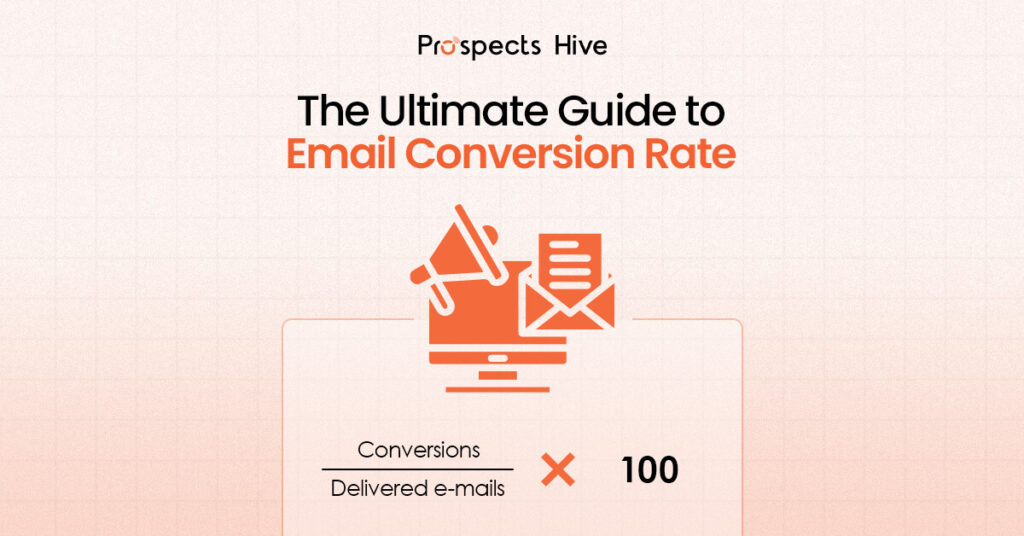
If you’re sending emails and only watching open rates and click-through rates, you’re missing the metric that actually pays the bills: email conversion rate.  This is the number that tells you whether your emails are turning attention into real actions like purchases, demo bookings, sign-ups, or downloads.  The tricky part is that “conversion” can mean different things depending on your goal, and the way you calculate it can change the story.  In this blog, we’ll define it clearly, show you the exact formula, explain what “good” looks like, and share the highest-impact ways to improve it without guessing. Key Notes: Conversion rate means measuring outcomes. Track conversions per delivered, opened, or clicked emails, depending on what you’re optimizing. “Good” varies, but most teams aim for a steady baseline and improve from there. Segmentation, a single CTA, and low post-click friction usually move the needle fastest. Deliverability and list hygiene can quietly cap your conversion rate. What is Email Conversion Rate? To start, it’s important to know the email conversion rate. It is a metric that measures the percentage of recipients who take a desired action (such as making a purchase, signing up, or downloading a resource) after opening an email. It directly correlates with how well your emails drive sales or engagement. One quick point to make it clear: Email response rate is about replies (common in cold email). Email marketing conversion rate is about the outcome you care about (meeting booked, sign-up, purchase, and so on). Formula for Email Conversion Rate: Email conversion rate = ( Conversions / Total Delivered Emails ) * 100 A higher conversion rate means your email campaigns are effectively engaging your audience and persuading them to take action. Well-segmented, personalized emails can see up to 760% higher revenue per email. The Importance of Tracking Email Conversion Rate Conversion rate is the “final step” metric. It tells you whether your email is producing real outcomes, not just activity. Campaign Monitor puts it plainly: low opens suggest timing or subject-line issues, but low conversions may mean you need to reassess the campaign more broadly. It also keeps teams honest across the funnel: If clicks are fine but conversions are low, you likely have post-click friction. If conversions drop suddenly, you may have a deliverability or list quality problem, not a copy problem. What is a Good Email Conversion Rate? A useful rule of thumb: a “good” conversion rate depends on your goal, your offer, and how you define conversion. Unbounce cites Mailchimp, saying a good email conversion rate typically falls between 2% and 5% across industries. 2 things matter more than chasing a universal benchmark: Your email type: Automated flows usually convert better than one-off campaigns because they’re triggered and more targeted. Klaviyo notes that flow conversion rates are typically higher than campaign conversion rates for this reason. Your segment quality: the more relevant the audience, the higher the conversion ceiling. If you want true “by industry” context, benchmark reports can help set expectations, but your best target is usually: beat your own baseline month over month. How to Increase Email Marketing Conversion Rate Increasing your email conversion rate requires a combination of strategic steps that align with your recipients’ behavior, interests, and needs.  Here’s how you can get started: 1. Improve Relevance First Relevance is the largest lever you can pull to increase your email conversion rate. The more tailored the content, the better the chances of conversion.  Segmentation allows you to divide your audience into smaller groups based on factors such as lifecycle, interests, behavior, location, or even device usage. By doing so, you can deliver highly personalized content that resonates with each group’s needs. For example, if you’re a B2B business, sending relevant offers based on the prospect’s industry or job title can dramatically increase engagement.  Emails that include personalized recommendations have a 29% higher open rate and a 41% higher click-through rate. 2. Clear Call-to-Action (CTA)  To drive conversions, ensure your email’s CTA is clear, direct, and easy to act on. It’s crucial to focus your email on a single main CTA to avoid overwhelming the reader. Phrases like “Get the demo,” or “Download the checklist” are action-oriented and guide the recipient toward the next step. Mailchimp reports that emails with a single CTA see a 371% higher click-through rate than those with multiple competing actions. Ensure the CTA is prominently placed, especially on mobile devices where real estate is limited. 3. Reducing Post-Click Friction Often, the conversion rate breaks after the click, so it’s essential to align the email promise with the landing page. Your landing page should reflect the same offer and message from the email, minimizing distractions and maintaining consistency. For example, if your email offers a downloadable guide, the landing page should immediately provide a clear option to download it, without unnecessary steps or confusing elements.  4. Testing and Optimizing for Better Results Continuous improvement through A/B testing is essential for email conversion optimization. Test elements like subject lines, CTAs, and offers. Start by testing one variable at a time, so you can understand what truly drives conversion. For example, BigSea found that testing subject lines in B2B cold emails can lead to a 56% higher response rate, just by tweaking how the message is framed. Testing helps you understand what works best for each segment of your audience. 5. Protecting Deliverability and List Quality To maintain a high email conversion rate, it’s essential to manage your email list and protect your deliverability. A clean list reduces the risk of bounces and complaints, improving your sender reputation.  Managing your list effectively can increase your engagement rate by up to 35%. Avoid spammy subject lines and regularly clean your list by removing inactive subscribers. This ensures that your emails reach an engaged audience, and your conversion rate remains high. Conclusion Improving your email conversion rate requires a holistic approach. Focus on segmentation, crafting a clear CTA, reducing post-click friction, and continuously testing your strategies.  Clean your email list,

Average Email Marketing Conversion Rate
Email Conversion Rate

Average Email Marketing Conversion Rate Explained (With Industry Data)

You sent the emails. You got opened. Maybe even a few clicks. But did it convert? That’s the question most email reports don’t answer. In email marketing, a conversion isn’t just a sale. It could be a booked call, a demo request, a lead form submission, or a signup. The action depends on what you asked the reader to do. That’s why average email marketing conversion rates can be misleading. A “good” number only makes sense when the conversion goal and funnel stage match. Benchmarks help, but context decides what actually matters. Key Notes  The average email marketing conversion rate usually falls between 1% and 5%. A conversion is not always a sale. It can be a sign-up, a booked call, a demo, or a form fill. “Good” conversion rates only make sense when the conversion goal and funnel stage match. Cold emails and high-ticket offers convert lower than warm, high-intent campaigns. Industry benchmarks give context, not targets. Sales cycle length and deal size strongly affect conversion rates. Many averages look inflated because clicks are counted as conversions. Improving conversion rate is often more effective than sending more emails. Small gains in relevance, CTA clarity, or follow-up can drive big ROI. What is the Average Email Conversion Rate? The short answer is: it depends. Across most industries, the average email conversion rate typically falls between 1% and 5%. That range shows up again and again in benchmark reports, case studies, and real-world campaigns. But the spread is wide for a reason. Some campaigns struggle to reach 1%, while others consistently exceed 5%. The difference usually comes down to  who you’re emailing,  what you’re asking them to do, and  where they are in the funnel. Cold outreach, high-ticket offers, and long sales cycles naturally result in lower conversion rates. Warm lists, strong intent, and low-friction actions convert higher. Many averages look inflated because clicks are counted as conversions. Others are misleading because cold and warm emails are mixed together, or landing page performance is mistaken for email performance. Why Does Email Conversion Rate Matter?  Open rates and clicks tell you if people noticed your email. The conversion rate tells you whether the email actually worked. That’s the difference between engagement and impact. Conversion rate connects email directly to revenue, leads, and ROI. It shows whether your message, offer, and follow-up experience moved someone to take a real action, not just skim a subject line. Improving conversion is often more effective than sending more emails. A small lift in conversion usually outperforms higher volume, without hurting deliverability or trust. And sometimes, a lower conversion rate is still a win. High-value offers, longer sales cycles, or top-of-funnel emails are expected to convert less, but they can create far more downstream value. Average Email Conversion Rate by Industry Email conversion rates vary widely by industry. That’s expected. Different businesses sell different things to different buyers, with very different buying journeys. Industry benchmarks exist to give context, not targets. They help you understand what’s typical for businesses with similar deal sizes, risk levels, and sales cycles. A shorter sales cycle and lower price point usually mean higher conversion rates. Longer cycles and high-ticket offers convert less often, but each conversion carries more value. That’s why a 2% conversion rate in one industry can outperform a 6% rate in another. At a high level, most industries fall into predictable ranges. But your real benchmark should still be your own historical performance, improved over time. You Might Ask Why Industry Averages Shift The answer lies in different points, such as, Sales cycle length: The longer it takes to buy, the lower the immediate conversion rate. Complex decisions need more touches. Buying risk (high-ticket vs low-ticket): Low-cost offers convert faster. High-ticket purchases require trust, proof, and time. Lead quality and list intent: Warm, high-intent lists consistently outperform cold or loosely targeted audiences. Industry Snapshots Industry Email conversion rate Ecommerce (Overall) 1.8% – 3.34% B2B Tech / Services 1.5% – 4.6% Food & Beverage 4.9% – 7.06% Beauty & Personal Care 3.46% – 6.8% Arts & Crafts 3.89% – 5.11% Finance & Insurance 2.5% – 5.2% SaaS (Software as a Service) 2% – 7% Pet Care & Veterinary Services 2.32% – 4.17% Consumer Electronics 1.68% – 3.6% Automotive 1.33% – 4.0% Apparel & Accessories 1.35% – 3.01% Home & Furniture / Decor 1.24% – 1.9% Toys, Games & Collectibles 1.88% – 1.91% Luxury & Jewelry 0.98% – 1.46% Source: Optimonk How to Improve Your Email Conversion Rate?  Increasing your email conversion rate needs a combination of strategic steps, aligned with your recipients’ behavior, interests, and needs.  Below are 5 steps to help you get started: 1. Improve Relevance First Relevance is the smartest tactic you can apply in order to increase your email conversion rate. The more tailored your content is, the better the chances of conversion.  Segmentation gives you the avenue to divide your audience into smaller groups based on factors such as lifecycle, interests, behavior, location, or even device usage. By doing so, you can deliver highly personalized content that resonates with each group’s needs. For instance, if you are a B2B company, you can boost engagement by tailoring offers to a prospect’s industry or role instead of sending the same message to everyone. Emails that include personalized recommendations have a 29% higher open rate and a 41% higher click-through rate. 2. Clear Call-to-Action (CTA)  To drive conversions, you need to make sure that your email’s CTA is clear, direct, and easy to act on. It’s important to frame your email around a single main CTA to avoid overwhelming or confusing the reader. Phrases like “Get the demo,” or “Download the checklist” are action-oriented and can potentially guide the recipient towards the next step. According to Porch Group Media, emails with a single CTA see a 371% higher click-through rate than those with multiple competing actions. 3. Reducing Post-Click Friction More than often it appears that the conversion rate breaks after the click, so it’s essential

When a Brand Decides to Use Email Marketing
Email Marketing

When a Brand Decides to Use Email Marketing

When a brand decides to use email marketing, it is not just choosing another marketing tactic. Rather, it is making a strategic decision about ownership, predictability, and long-term growth. In a landscape where algorithms change overnight, paid acquisition costs keep rising, and organic reach is increasingly unreliable, brands need a channel they can control.  Email marketing gives brands direct, permission-based access to their audience without relying on a platform. This is why the question matters. Not “should we send emails?” But “when should a brand use email marketing and what does that decision unlock?” If you ask soo, we must have to answer,  Skimmable Summary for Busy Readers   Brands decide to use email marketing when growth depends on long-term relationships, not short-term reach. Email marketing is a strategic commitment, not a one-off campaign Brands choose email to move from visibility to ownership Rising customer acquisition costs and longer sales cycles make email more valuable than ever Email works best when it supports education, trust, and relevance Long-term ROI comes from timing and intent, not email volume What Does It Really Mean When a Brand “Decides” to Use Email Marketing? When a brand decides to use email marketing, it is deciding to: Build a direct relationship with its audience Own a communication channel instead of renting attention Commit to relevance, not reach Email marketing for brands is not about sending out newsletters or launching random promotions. It is a shift in how the brand communicates. This decision signals a move away from chasing impressions toward nurturing intent. Away from short-term visibility toward long-term engagement. Away from dependency on platforms toward owned distribution. At its core, email marketing becomes a relationship-building system that supports trust, education, and conversion over time. The Real Triggers That Push Brands Towards Email Marketing While the need for a channel brands can fully own that delivers measurable ROI remains indispensable, below are the real triggers that push brands towards email marketing: Traffic is Growing, but Conversions are Not Many brands reach a point where traffic increases, but email conversion rates do not. Visitors come in, browse, and leave. Email marketing allows brands to re-engage that lost demand. It creates a second chance to educate, nurture, and convert users who were not ready the first time. Paid Channels are Becoming Less Predictable Paid ads are no longer sole stable growth engines for most brands. Algorithms change without warning Customer acquisition costs keep rising Performance fluctuates despite optimization This platform dependency is one of the main reasons why brands are fully embracing email marketing. Email offers consistency where paid channels cannot. Sales Cycles are Getting Longer For B2B brands and considered purchases, decisions take time. Email marketing works as a nurture layer. It supports education, trust-building, and repeated exposure without pressure. This is how email marketing can be especially effective for longer sales cycles. The Brand Needs Repeat Customers Retention is no longer optional. Email marketing benefits brands by supporting repeat purchases, customer education, and loyalty. It keeps the brand present long after the first transaction. When Email Marketing Makes the Most Sense Email marketing is powerful, but it is not a universal fix. It works best in specific situations, and knowing when it makes sense is just as important as knowing how to do it. When Email Marketing Is a Strong Fit Email marketing for brands works best when: There is existing or growing traffic The brand has a clear value proposition The audience needs education or nurturing Long-term relationships matter This is when email marketing strategy becomes a growth multiplier. When Email Marketing Is Not the Priority Yet Email marketing may not be the right focus if: There is no traffic or demand ICP and messaging are unclear The brand expects instant results There is no content worth subscribing to Starting email marketing too early can be just as ineffective as starting too late. Common Mistakes Brands Make When Starting Email Marketing Below are the most common mistakes which cause many email marketing campaigns to fail:  Treating email as a broadcast channel Over-emailing without segmentation Ignoring engagement and behavior signals Sending promotions without context or value to your audience How to Know If Your Brand Is Ready for Email Marketing Your brand is set to go for email marketing when growth begins to be less dependent on visibility and more on building direct relationships with an audience you can reach without algorithms or ad spend. Use this decision checklist to know if your brand is ready: Do you have consistent traffic or lead flow? Do you understand your audience’s real problems? Do you have content worth staying subscribed for? Are sales and marketing aligned on messaging? If most answers are yes, email marketing becomes a logical next step. Decision Reinforcement Email marketing is not about volume. It is about timing and intent. Brands win when email supports the entire buyer journey. From awareness to education to conversion and retention. The right moment to use email marketing is when relevance matters more than reach. Email works best when it is part of an allbound system, supporting both inbound and outbound efforts with consistent, value-driven communication. FAQs 1. Is Email Marketing Still Effective for Brands Today? Yes. Email marketing remains one of the highest ROI channels when done with personalization and intent. 2. Can Small or New Brands Benefit From Email Marketing? Yes, if expectations are realistic and the focus is on relationship-building rather than promotions. 3. How Does Email Marketing Support Lead Generation? It supports lead generation by nurturing leads over time through education, trust, and timely follow-ups. 4. How Does Email Marketing Work With Inbound and Outbound? Email supports inbound by nurturing demand and outbound by reinforcing messaging after first contact. 5. What Type of Businesses Benefit Most From Email Marketing? B2B, e-commerce, SaaS, and service-based brands with longer decision cycles benefit the most. 6. Is Email Marketing Better Than Social Media or Paid Ads? Email is not a replacement. It complements other channels by

Automation, Go-To-Market, Outbound Tips and Basics

AI for Knowledge, Humans for Relationships: GTM Lessons You Can Actually Use

AI is everywhere in marketing right now. More tools. More automation. More content than ever before. And somehow, less trust. Buyers are overwhelmed. Inboxes are noisy. LinkedIn feels automated. Blogs keep getting published, but very few are actually read. The promise of AI-driven scale has arrived, but the outcomes GTM teams care about pipeline quality, speed of deal, and revenue efficiency haven’t improved at the same pace. There’s a simple idea that cuts through the noise: “Use AI for knowledge and leave the relationships to humans.” That sentence should be the throughline for how GTM teams think about AI in marketing in 2026. It’s not anti-AI or anti-automation. It’s a clear-eyed view of where AI creates leverage and where it quietly destroys trust. What follows are GTM lessons you can actually apply, using an allbound marketing lens that connects strategy, execution, RevOps, and reality. TL;DR: The 10 Biggest Takeaways AI accelerates insight, not trust. Marketing still requires both science and art. Fake personalization does more harm than generic messaging. AI is best used before the conversation, not during it. Deleting content often outperforms publishing more. LLMs reward authority, depth, and real experience. Events work when they drive pipeline acceleration, not badge scans. Lead scoring breaks when teams stop talking to customers. Data hygiene for AI matters more than adding another tool. Revenue per employee is one of the most honest GTM metrics. What GTM Teams Get Right (and Where They Still Go Wrong) Most modern GTM discussions get a few important things right. First, AI has raised the bar, not lowered it. When everyone can publish “decent” content, decent stops working. The tolerance for average marketing is shrinking fast, especially in B2B. Second, personalization at scale is not automatically a win. Pretending to care about someone when you don’t is worse than being honest and relevant at a segment or category level. This is why AI personalization vs authenticity has become a defining tension in modern GTM. Where teams still go wrong is assuming tools will fix strategy. They automate before they clarify. They publish before they read. They rely on dashboards instead of conversations. AI didn’t create these problems. It just exposed them faster. The Allbound Lens: Turning Insight Into an Operating System Allbound marketing only works when inbound trust and outbound relevance reinforce each other. Inbound without relevance becomes passive content. Outbound without trust becomes noise. The lesson isn’t “do less marketing.” It’s to do marketing with intent, structure, and care and to use AI where it genuinely creates leverage. Here’s what that looks like as an operating system: Step 1: PASS-F Preflight Before a campaign launches, before content gets written, and even before tools get involved, teams need clarity. The PAS(S)-F framework forces that clarity: Purpose: Why does this campaign exist? What decision should it influence? Audience: Who is this really for? Not job titles, real buyers. Scope: How narrow or broad is the effort? Schedule: When does it launch, iterate, and stop Format: Blog, event, outbound sequence, workshop, asset? Most GTM campaigns fail because one of these is vague. That’s why PASS-F campaign planning matters more than prompt engineering. This is where AI helps. It can analyze markets, break industries into sub-verticals, map buying committees, and surface common pain patterns. What AI cannot do is decide what matters most. That judgment stays human. Step 2: AI for Knowledge, Not for Relationships AI is excellent at getting you close to the conversation. It can accelerate research, clarify ICPs, identify pain points, draft first versions, and compress weeks of analysis into hours. What it cannot do is finish the interaction. Relationships still require judgment, taste, context, empathy, and accountability. That’s why founder-led brand moments like direct conversations, clear POVs, and real presence continue to outperform polished automation. A useful mental model is simple: you can set up the interaction, but you can’t force the relationship. That’s how AI should be used in GTM. Let it do the heavy lifting before the interaction. Let humans handle what happens after. Step 3: The Quality-First Content Sprint One lesson that’s becoming hard to ignore: Deleting content often improves performance. This is no longer an edge case. It’s becoming standard as SEO quality vs quantity becomes the defining trade-off. Search engines and AI systems increasingly reward first-hand experience, clear POV, depth over volume, and evidence of real understanding. A quality-first sprint looks like this: Fewer pieces Stronger POV Bottom-of-funnel focus Subject-matter depth Founders and operators involved in review If you wouldn’t click it yourself, don’t publish it. Step 4: Events as a Pipeline Engine Events are expensive. That hasn’t changed. What’s often missed is why they fail. Events should do two things: generate pipeline and accelerate existing deals. Most only attempt the first, and poorly. Events fail when meetings aren’t booked in advance, follow-up is generic, ownership is unclear, and expectations are unrealistic. For smaller or bootstrapped teams, events work best when they’re targeted, relationship-driven, and designed for conversation, not volume. A dinner with the right ten people beats a booth scanned by five hundred. That’s real pipeline acceleration. Step 5: Attribution and RevOps Guardrails Perfect attribution is a trap. Smart teams focus on attribution that answers one question: did this create or accelerate real opportunities? Instead of obsessing over dashboards, focus on opportunity creation, sales conversations, deal velocity, retention, and expansion. A few hard truths: Lead scoring is overrated when it replaces human judgment. Most teams already have too many tools. Everyone says their data is terrible, and they’re usually right. This is where the real RevOps advantage lives. Clean data, fewer tools, clearer ownership, and better decisions. One metric that cuts through the noise is revenue per employee. It exposes inefficiency fast and highlights where AI can actually help. Where We Go From Here AI will keep getting better. What won’t change is how trust is built. The teams that win in 2026 won’t be the ones automating everything. They’ll be the ones who: Use AI to sharpen thinking

Business, Outbound Tips and Basics

SEO x AI Summit 2025: Inside the New Era of Search & Growth

The SEO x AI Summit Bangladesh 2025 brought together industry experts, marketers, engineers, and founders to explore the intersection of search, content, generative AI, and digital growth. Prospects Hive attended the summit with a clear goal: to understand how SEO, AI visibility, and outbound marketing are merging into a single growth system. Across keynote sessions, panel discussions, and technical workshops, one message became consistent: SEO, GEO (Generative Engine Optimization), and Outbound now operate as one unified discipline. The summit offered both strategic and technical clarity on how businesses must now build content, structure websites, and engineer outbound systems if they want to remain discoverable in the age of AI. The Dual-Discovery Era: SEO Meets GEO One of the summit’s opening themes was the shift from a single discovery channel (Google search) to a dual-discovery world: traditional SEO and generative retrieval. The “Dual Discovery Era” shows how SEO optimizes for indexed rankings while GEO optimizes for LLM retrieval, reasoning, and generative responses.  SEO relies on crawl → index → rank; GEO relies on retrieve → reason → respond.  Both now run in parallel, not as competitors but as interconnected systems. Prospects Hive interprets this shift as more than a technical evolution. It changes how outbound works, because buyers now verify information through both search and AI engines before replying to outreach. If a brand is invisible in generative results, outbound becomes harder. SEO Is Not Dead. But It Has Evolved AI search now drives 15% of U.S. queries, up from 7% in 2024. AI-referred traffic converts 4.4x higher than traditional organic traffic.  By 2028, AI will reshape how visitors are valued – rewarding sites optimized for LLMs. This confirms that SEO is not disappearing, it’s only transforming. As SEO evolved, five layers are now at play:  SEO (traditional) AIO (AI readability) GEO (generative engine) AEO (answer engine) SXO (user experience) These categories reflect the expanding surface area of visibility.  Ranking on Google is no longer enough; content now needs to be readable by LLMs, optimized for answer-share, structured for citation, and built for user intent. Keyword Research → Entity Clustering → Predictive SEO One of the summit’s most practical shifts focused on entity-based keyword research. The keyword strategy has now evolved: Old approach: volume, difficulty, manual grouping. New approach: AI-driven entity clustering, predictive queries, semantic mapping Tools like Semrush, Keyword Insights, Surfer SEO, and Answer Socrates now use LLM-powered semantic clustering to forecast emerging search trends. The summit emphasized that brands must shift from chasing keywords to shaping entities, topics, and context. For outbound teams, this matters because entity clarity reduces friction. When prospects Google a brand after receiving outreach, they find structured, consistent information that reinforces the credibility of the message. Search Intent Has Shifted: The New AI Funnel The summit also introduced a redefined funnel built around AI behavior. The “Traditional → AI Funnel” illustrates: Informational → Answer Share Navigational → Brand Trust Transactional → Next-Step Intent Commercial → Multi-Modal Intent This new model mirrors how LLMs surface information. Instead of ranking pages, AI engines look for clarity, extractable answers, and factual signals. This explains why outbound performance often drops when a website lacks structured pages as LLMs can’t retrieve or cite the content, and buyers don’t find what they need. Technical SEO for AI: How Content Becomes Discoverable The key factors influencing AI search visibility: Clear entity usage Google NLP terms Knowledge graph alignment Snippet-ready paragraphs Conversational formatting Structured data schema Frequent content updates   LLMs are now fetching information from: Training data (books, articles, archived content) Live web data (crawled via Bing for ChatGPT, Google for Gemini) This means companies that want to appear in generative answers must maintain structured, extractable content across the web, not just on their sites. The Hard Numbers: AI Overviews Reduce Clicks by 34.5% Ahrefs’ analysis shows Google’s AI Overviews reduce CTR by 34.5% for top-ranking informational pages. This means traditional ranking is no longer enough. Businesses must now compete for visibility inside AI summaries, not just search results. Competitor Analysis Has Become Predictive The summit compared traditional competitor research with AI-driven predictive intelligence: Old approach: keyword lists, backlinks, meta tags. New approach: predictive keyword trends, algorithm shifts, conversational search patterns, UX optimization. For outbound systems, predictive intelligence helps campaigns stay ahead of market shifts.  GEO Audits Reveal a Site’s AI-Readiness One of the most practical takeaways was the GEO audit. The audit evaluates a site across six dimensions: Citation readiness Answer alignment Knowledge graph optimization Content authority Technical AI accessibility Competitive positioning This framework helps teams measure how well their content performs in generative engines and where to improve. Why Outbound Must Evolve With SEO and GEO All three perspectives: traditional SEO, GEO, and outbound, converge on a single truth: Outbound is only as strong as the digital ecosystem behind it. When content is structured for AI, entity-driven, and constantly discoverable: Prospects trust brands faster Search verification becomes smoother Messages land with more credibility Campaigns generate predictable lift Growth becomes compound rather than chaotic This is the direction Prospects Hive expects modern GTM systems to move toward in 2025 and beyond. A Summit That Clarified the Future The SEO x AI Summit Bangladesh 2025 made one thing unmistakably clear: SEO, GEO, and outbound are now one integrated growth engine. Prospects Hive left the event with a stronger conviction that future growth belongs to companies that build: Clear, structured content Strong entity systems Technical AI visibility Predictive SEO insights Outbound messaging rooted in search intelligence The businesses that win the next era of digital growth will be the ones that make their content discoverable, their signals consistent, and their outreach meaningful across both search and AI.

Automation, CRM, Go-To-Market, Outbound Tips and Basics

How to Keep Your Campaigns Out of Spam and Land in the Inbox

Imagine having crafted the perfect cold email with a sharp subject line, meticulously personalized introduction, and ending with a compelling offer. You’ve finally hit the send button… and to much dismay, nothing goes as planned. No opens, and of course, no replies. Possibly your problem isn’t the message, but deliverability. In today’s world of aggressive filters to get rid of spam and smart inbox softwares to get the top priority emails on the go, even the best copy or segmentation won’t matter if your emails never reach the inbox. For those working in the domain of outbound marketing, they know that this silent killer is capable of draining ROI faster than poor targeting ever could. In this blog, you’ll learn how to master cold email deliverability as we unpack the technical and strategic steps that guarantee your messages actually land in the inbox and are not filtered as spam. What Is Cold Email Deliverability? Cold email delivery means your email technically gets delivered to the recipient’s mail server. Now, deliverability is what determines where it actually ends up landing, either the inbox, promotions, or spam. Inboxes like Gmail, Outlook, and Apple Mail use complex, perplexing filters that are competent to scrutinize each message based on: Domain reputation and past sender behavior. Content quality and structure. Engagement signals like opens, clicks, replies, deletions. Technical setup, including SPF, DKIM, and DMARC authentication. As inbox algorithms are growing stricter, even a single misstep such as a poor warm-up, spammy content, or a bad list can downgrade your campaigns’ deliverability directly to the spam folders. In 2025, deliverability has become the backbone of modern outbound success. Without it, you’re indisputably sending out your best efforts straightaway into an abyss. Why Deliverability Is Crucial for Your Campaigns In 2025, email service providers (ESPs) are all in on emphasizing security than ever. With the increasing spam volumes, they’ve essentially toughened up their filters, ensuring sender trust and user engagement to be their first and foremost priority. Here’s why deliverability deserves your full attention: Stricter ESP standards: Gmail and Outlook can now flag even minor anomalies in authentication or content. Blacklisting risks: Once your domain or IP is blacklisted, recovery is a toiling process that can take weeks. Campaign decay: Poor sender reputation degrades inbox placement over time regardless of how amazing your copy is. ROI impact: Every email landing in spam means wasted spend, lower open rates, fewer conversions, and decreasing credibility. To simply put, you can’t make conversions out of campaigns that never even got delivered to the right prospect at the right time! What Impacts Deliverability? (Key Factors) 1. Sender & Domain Reputation Your sender reputation is equivalent to your credit score for inboxes. It’s built from your domain’s sending records, bounce rates, and spam reports. A bad sender reputation inevitably leads to your emails being delivered to the spam folder. A good reputation means securing inbox priority. Avoid shared IPs if possible and monitor blacklists regularly. 2. Email Infrastructure & Authentication Set up email authentication methods such as SPF, DKIM, and DMARC to authenticate your domain. These signals inboxes that “Yes, this email really came from us.” and not from any bot. Without these, your emails may come across as spoofed or malicious. 3. Bounce & Spam Complaint Rates High bounce rates or complaint rates indicate to ESPs that your list isn’t capable of being trusted. Clean lists and make your messaging relevant to reduce these risks. 4. Engagement Metrics ESPs continue to track how recipients interact with your emails through opens, clicks, replies, and even their reading time before deleting. Low engagement can be a bigger blow to your reputation. 5. Sending Behavior & Volume Patterns Sudden surge in email volume or inconsistent sending patterns give rise to doubts. Ramp up gradually and maintain consistency in your sending habits. 6. Content Quality & Formatting Spam filters study the tone, structure, and formatting of your emails over time. Avoid spammy words like “Free!!!”, “Act now”, “Limited offer” and image-heavy templates. Steer clear of overusing links or tracking pixels. Keep your emails conversational and text-forward because plain text often outperforms. 7. Domain & IP Sharing Avoid using your main business domain for cold outreach. If other users on a shared IP are flagged for spam, your deliverability suffers too. Use secondary or dedicated domains for outreach. Best Practices to Improve Deliverability in Outbound Campaigns 1. Domain & Inbox Warm-up Don’t send 500 cold emails on day one. Warm up gradually: Start with 10–20 daily sends, increasing over 3–4 weeks. Simulate engagement (replies, opens) using warm-up tools like Mailflow or Warmbox. 2. Use Dedicated or Secondary Domains Keep outreach isolated from your core brand domain. If deliverability drops, you can pause or rotate domains without affecting your main domain reputation. 3. Confirm Authentication Setup Set up SPF, DKIM, and DMARC records correctly. Align the “From,” “Reply-To,” and “Envelope Sender” addresses for consistency as ESPs love alignment. 4. Clean & Verify Your Lists Use tools like Dropcontact, Icypeas, or NeverBounce to validate emails before sending. Remove: Invalid or role-based addresses Catch-all domains Inactive or unengaged leads 5. Optimize Email Content Avoid clickbait or trigger words and keep links minimal (preferably one). Personalize with context rather than with just the first name. Balance plain-text and HTML formats for deliverability and readability. 6. Throttle & Control Sending Volume Send in waves. Don’t blast thousands from one inbox. If complaint rates rise, pause campaigns and cool down your domain. 7. Monitor Deliverability & Metrics Track inbox placement, spam score, and domain health weekly. Tools like Mailflow, Postmaster Tools, or MxToolbox can help identify issues before they escalate. 8. Rotate or Replace Domains or IPs If a domain gets burned (high spam rates or blacklisted), retire it gracefully. Set up new secondary domains and warm them up again before resuming campaigns. 9. Compliance & Unsubscribe Practices Even cold emails must respect privacy laws. Include a clear unsubscribe link. Honor opt-outs immediately. Follow CAN-SPAM, GDPR, and CASL regulations. Tools &

Scroll to Top