How to Combine LinkedIn Outreach with Email Campaigns
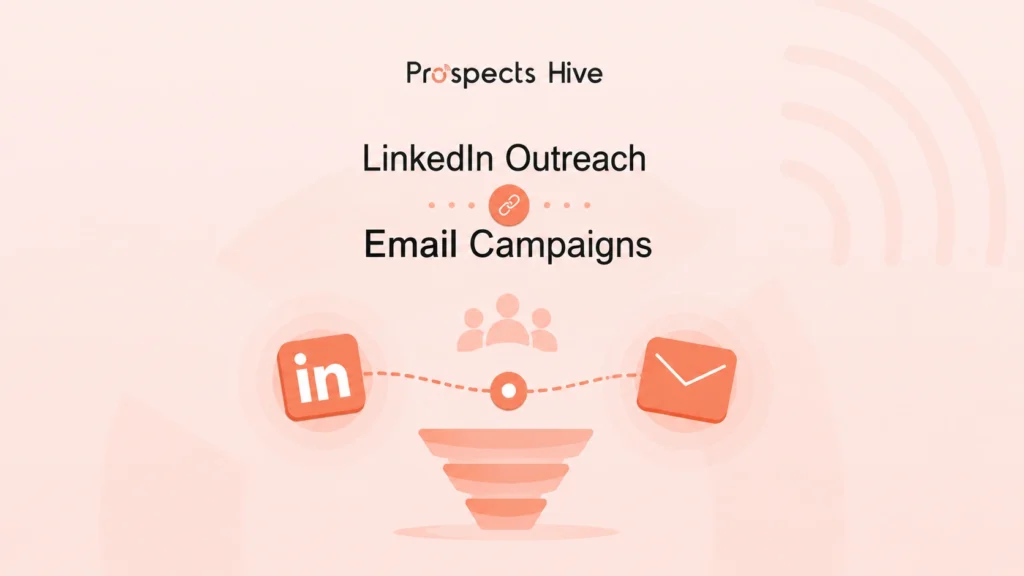
You’ve sent the emails. You’ve sent the connection requests. And you’re still staring at an inbox with no replies. The problem usually isn’t your message. It’s that one LinkedIn note or one cold email now competes with hundreds of others hitting the same prospect every week. Here’s how to combine LinkedIn outreach with email campaigns: connect to LinkedIn first. Then wait two to three days. Then you may send a cold email that references the LinkedIn touch instead of opening cold. You must follow up on both channels over the next two to three weeks, alternating, so no single channel carries the whole sequence. With this process, you can build familiarity through LinkedIn. Email carries the depth and the ask. When you run them together, with the right timing and messaging, and your reply rates will climb far beyond what either channel does alone. This guide walks you through the exact framework, sequence, message examples, tools, and metrics behind a multichannel outreach strategy that books meetings. Why Single-Channel Outreach Leaves Opportunities on the Table Think about your own inbox. According to Demandsage, the average professional receives around 121 emails a day, and most never get opened past the subject line. Your cold email fights that noise with nothing to prove you’re real. LinkedIn has the opposite problem: everyone is pitching there too, so your connection request blends into a wall of “let’s connect” notes prospects have learned to ignore. Buyer data confirms it: According to Gartner, 73% of B2B buyers actively avoid suppliers who send irrelevant outreach Gartner’s 2026 follow-up survey found buyers use an average of seven information sources before engaging a rep Rely on one channel and you show up in one of those seven sources. Skip LinkedIn and you miss buyers who research through their network first. Skip email and you miss the ones who screen everything through their inbox. Single-channel outreach caps your prospecting at one platform’s ceiling. Why LinkedIn and Email Work Better Together Each channel is strong at what the other lacks. LinkedIn outreach gives you: Verified job titles, company data, and recent activity to personalize with Connection requests that almost always get seen, unlike emails that can land in spam Low-friction familiarity through likes, comments, and profile views Email outreach gives you: Room for a real value proposition, not a one-line pitch Space for case studies, data, and links Easier tracking, sequencing, and scale When a stranger’s email arrives, people become cautious. When it arrives from someone whose name they saw on LinkedIn three days ago, they feel familiar. Psychology calls this the mere-exposure effect. Here, familiarity builds trust, even from brief, repeated exposure. That’s the whole framework in three words: Recognition → Trust → Conversation. LinkedIn creates recognition. Email builds trust through depth and proof. If you want the full picture of how to get leads from LinkedIn before you add email into the mix, that guide covers profile setup, Sales Navigator, and buyer signals in more depth. By combining LinkedIn outreach with email campaigns, you open the door to a conversation. With a single touch outreach, you can almost never earn that trust. The Core Problem Most Sales and Marketing Teams Face Low Response Rates: Messages go out with no context behind them. Inconsistent Follow-up: One email goes out, other work takes over, and the lead goes cold. Disconnected Outreach: LinkedIn and email run from separate tools and lists, so a prospect gets hit twice with no memory of the first touch. Poor Personalization: “Hi [First Name]” isn’t personalization. Your prospects know a mail merge when they see one. No Repeatable System: Every campaign starts from scratch. If you nodded at two or more, the rest of this guide was written for you. The Multichannel Outreach Framework Every prospect moves through the same path before becoming a customer: Awareness → Recognition → Trust → Conversation → Meeting → Opportunity → Customer LinkedIn does profile views, connection requests, and comments build recognition without asking for anything. Email carries the middle, turning recognition into trust and trust into conversation. The next stages follow normal pipeline logic. However, you can rarely reach that point without that early trust-building. One touch almost never books a meeting. Five or six coordinated touches across two channels usually do. How to Warm Up Prospects Before You Reach Out Your outreach starts before your first message: First, optimize your LinkedIn profile. Prospects check who you are before accepting. Clear headlines, real photos, and summaries that state who you help all lift acceptance rates. Show credibility. Recent posts or comments demonstrating real expertise do more than any pitch. Follow target accounts so their updates surface in your feed and give you material to reference. Engage before messaging. Comment genuinely on a prospect’s post days before reaching out, and they recognize your name when your request arrives. Watch for buying signals. Hiring pages, funding news, leadership changes, and product launches are timing cues. Outreach right after a signal beats outreach at a random moment. Step-by-Step: How to Combine LinkedIn Outreach with Email Campaigns Before day one, build your list with a prospecting tool. You can use tools like Apollo or Clay. So, every touch below reaches someone who fits your ICP. Let a CRM like HubSpot log each step automatically. That’s how you will not miss anyone. Here’s the sequence, spread across roughly three weeks. Days can flex, but the order and spacing matter. Day Channel Action 1 LinkedIn Short, personalized connection request 3 LinkedIn Follow-up message once they accept 6 Email First cold email referencing LinkedIn 10 LinkedIn Social engagement touch 14 Email Short follow-up with a low-friction ask 18-21 Email Polite closing email Day 1: Send a LinkedIn Connection Request Write one or two sentences to greet. Also, you can mention something specific: a shared interest, their role, a mutual connection, or a post they wrote. In this step, you have to resist the urge to pitch. Your only goal for Day 1 is to be accepted. “Hi Sarah, saw your post on scaling outbound teams this week, matches exactly what we’re working through. Would love to connect.” Tools for this step: If you’re running volume, LinkedIn automation tools like Expandi or the LinkedIn steps inside Lemlist can pace and personalize requests safely. For a small, high-value list, send them manually. Day 3: LinkedIn Follow-Up Message Once they accept your request, send