You’ve sent the emails. You’ve sent the connection requests. And you’re still staring at an inbox with no replies. The problem usually isn’t your message. It’s that one LinkedIn note or one cold email now competes with hundreds of others hitting the same prospect every week.
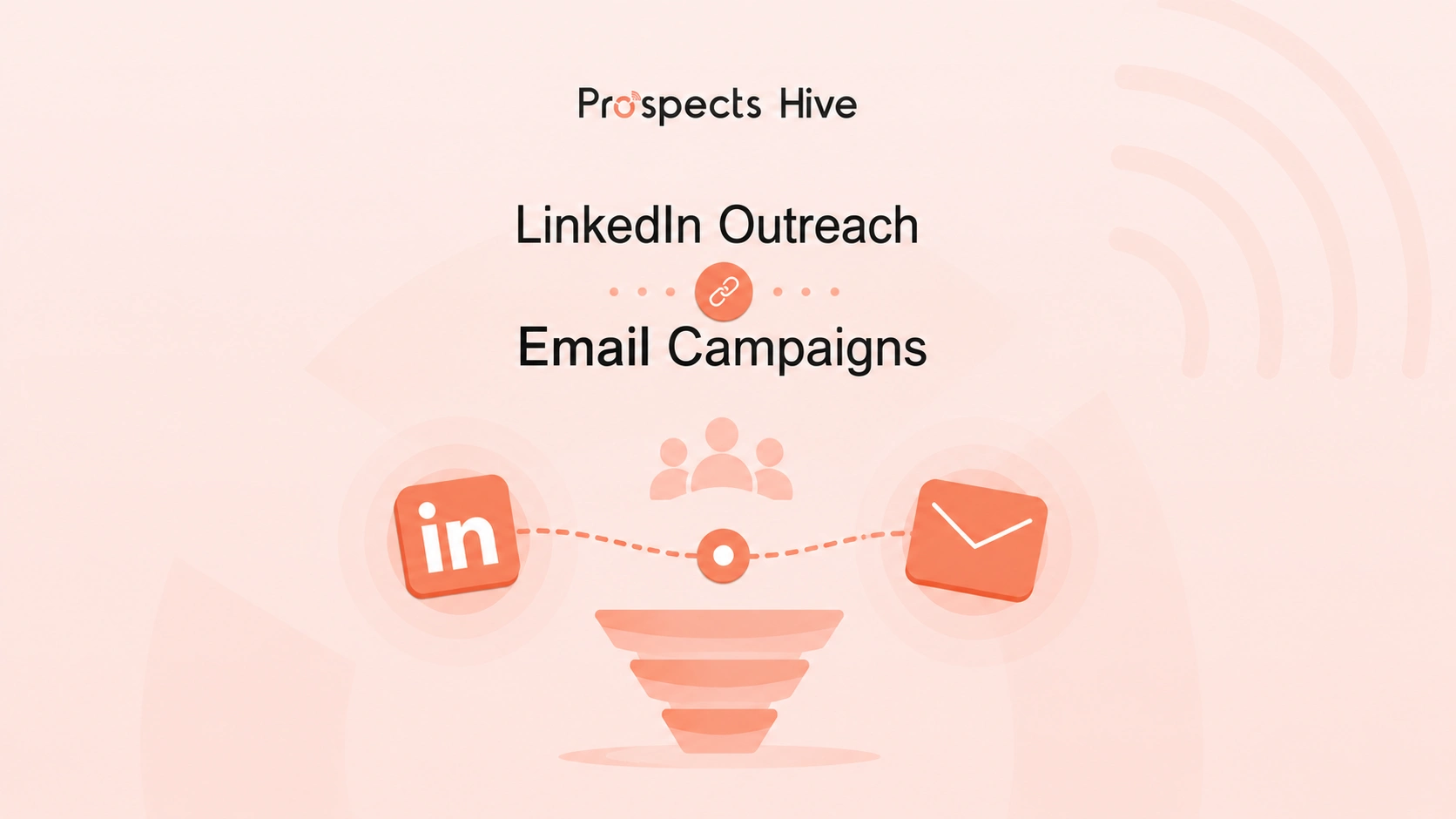
Here’s how to combine LinkedIn outreach with email campaigns: connect to LinkedIn first. Then wait two to three days. Then you may send a cold email that references the LinkedIn touch instead of opening cold. You must follow up on both channels over the next two to three weeks, alternating, so no single channel carries the whole sequence. With this process, you can build familiarity through LinkedIn. Email carries the depth and the ask. When you run them together, with the right timing and messaging, and your reply rates will climb far beyond what either channel does alone.
This guide walks you through the exact framework, sequence, message examples, tools, and metrics behind a multichannel outreach strategy that books meetings.
Why Single-Channel Outreach Leaves Opportunities on the Table
Think about your own inbox. According to Demandsage, the average professional receives around 121 emails a day, and most never get opened past the subject line.
Your cold email fights that noise with nothing to prove you’re real.
LinkedIn has the opposite problem: everyone is pitching there too, so your connection request blends into a wall of “let’s connect” notes prospects have learned to ignore.
Buyer data confirms it:
- According to Gartner, 73% of B2B buyers actively avoid suppliers who send irrelevant outreach
- Gartner’s 2026 follow-up survey found buyers use an average of seven information sources before engaging a rep
Rely on one channel and you show up in one of those seven sources. Skip LinkedIn and you miss buyers who research through their network first. Skip email and you miss the ones who screen everything through their inbox. Single-channel outreach caps your prospecting at one platform’s ceiling.
Why LinkedIn and Email Work Better Together
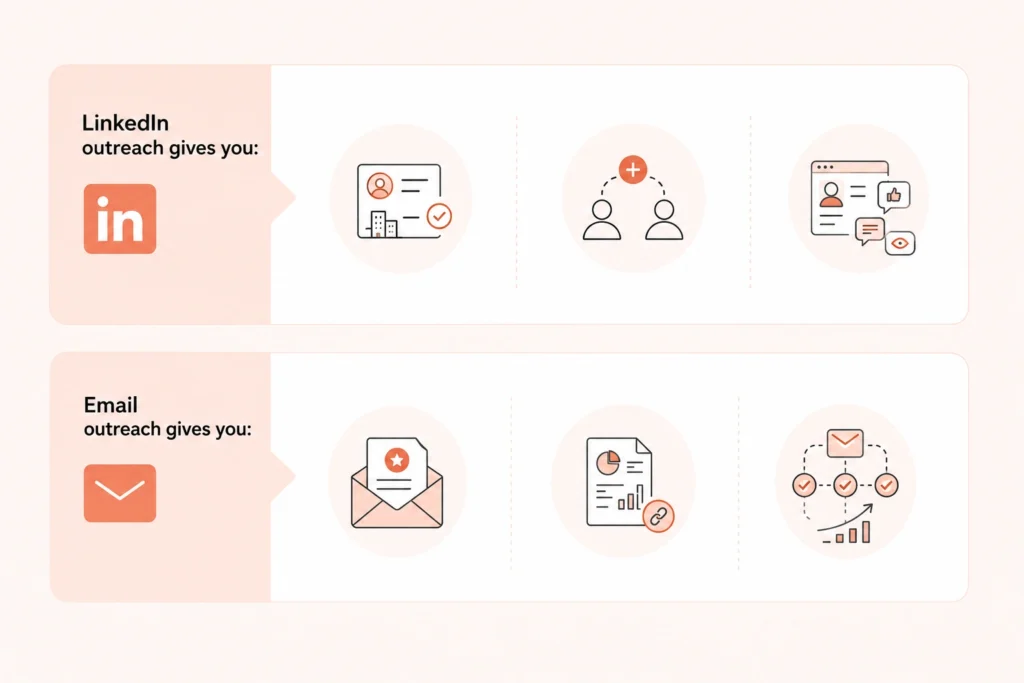
Each channel is strong at what the other lacks.
LinkedIn outreach gives you:
- Verified job titles, company data, and recent activity to personalize with
- Connection requests that almost always get seen, unlike emails that can land in spam
- Low-friction familiarity through likes, comments, and profile views
Email outreach gives you:
- Room for a real value proposition, not a one-line pitch
- Space for case studies, data, and links
- Easier tracking, sequencing, and scale
When a stranger’s email arrives, people become cautious. When it arrives from someone whose name they saw on LinkedIn three days ago, they feel familiar. Psychology calls this the mere-exposure effect. Here, familiarity builds trust, even from brief, repeated exposure.
That’s the whole framework in three words: Recognition → Trust → Conversation.
LinkedIn creates recognition. Email builds trust through depth and proof. If you want the full picture of how to get leads from LinkedIn before you add email into the mix, that guide covers profile setup, Sales Navigator, and buyer signals in more depth.
By combining LinkedIn outreach with email campaigns, you open the door to a conversation. With a single touch outreach, you can almost never earn that trust.
The Core Problem Most Sales and Marketing Teams Face
- Low Response Rates: Messages go out with no context behind them.
- Inconsistent Follow-up: One email goes out, other work takes over, and the lead goes cold.
- Disconnected Outreach: LinkedIn and email run from separate tools and lists, so a prospect gets hit twice with no memory of the first touch.
- Poor Personalization: “Hi [First Name]” isn’t personalization. Your prospects know a mail merge when they see one.
- No Repeatable System: Every campaign starts from scratch.
If you nodded at two or more, the rest of this guide was written for you.
The Multichannel Outreach Framework
Every prospect moves through the same path before becoming a customer:
Awareness → Recognition → Trust → Conversation → Meeting → Opportunity → Customer
LinkedIn does profile views, connection requests, and comments build recognition without asking for anything.
Email carries the middle, turning recognition into trust and trust into conversation.
The next stages follow normal pipeline logic. However, you can rarely reach that point without that early trust-building.
One touch almost never books a meeting. Five or six coordinated touches across two channels usually do.
How to Warm Up Prospects Before You Reach Out
Your outreach starts before your first message:
- First, optimize your LinkedIn profile. Prospects check who you are before accepting. Clear headlines, real photos, and summaries that state who you help all lift acceptance rates.
- Show credibility. Recent posts or comments demonstrating real expertise do more than any pitch.
- Follow target accounts so their updates surface in your feed and give you material to reference.
- Engage before messaging. Comment genuinely on a prospect’s post days before reaching out, and they recognize your name when your request arrives.
- Watch for buying signals. Hiring pages, funding news, leadership changes, and product launches are timing cues. Outreach right after a signal beats outreach at a random moment.
Step-by-Step: How to Combine LinkedIn Outreach with Email Campaigns
Before day one, build your list with a prospecting tool. You can use tools like Apollo or Clay. So, every touch below reaches someone who fits your ICP. Let a CRM like HubSpot log each step automatically. That’s how you will not miss anyone.
Here’s the sequence, spread across roughly three weeks. Days can flex, but the order and spacing matter.
| Day | Channel | Action |
| 1 | Short, personalized connection request | |
| 3 | Follow-up message once they accept | |
| 6 | First cold email referencing LinkedIn | |
| 10 | Social engagement touch | |
| 14 | Short follow-up with a low-friction ask | |
| 18-21 | Polite closing email |
Day 1: Send a LinkedIn Connection Request
Write one or two sentences to greet. Also, you can mention something specific: a shared interest, their role, a mutual connection, or a post they wrote. In this step, you have to resist the urge to pitch. Your only goal for Day 1 is to be accepted.
“Hi Sarah, saw your post on scaling outbound teams this week, matches exactly what we’re working through. Would love to connect.”
Tools for this step: If you’re running volume, LinkedIn automation tools like Expandi or the LinkedIn steps inside Lemlist can pace and personalize requests safely. For a small, high-value list, send them manually.
Day 3: LinkedIn Follow-Up Message
Once they accept your request, send a short thanks and ask one relevant question about their role or industry. If your message sounds like the opener of a pitch instead of the start of a conversation, then you must rewrite the message.
“Thanks for connecting, David. Curious, how is your team handling lead follow-up as headcount grows?”
What If They Haven’t Accepted Yet?
This happens often, and it doesn’t derail the sequence. If you already have a verified email, send the Day 6 email anyway. Drop the “reached out on LinkedIn” line if they never accepted, and open with the value point instead. Leave the connection request pending rather than withdrawing it early.
It can still get accepted later in the sequence, and when it does, that’s a free extra touch you didn’t have to plan for.
Day 6: Send Your First Cold Email
In this step, you can reference the LinkedIn connection directly, then lead with value: a specific insight, case study, or resource, not a product pitch. Here you have the opportunity to build trust.
“Hi David, reached out on LinkedIn earlier this week. Saw you’re hiring three SDRs, which usually means follow-up gets messy fast. We helped a similar-sized SaaS team cut lead response time from 2 days to 4 hours. Happy to share how they did it.”
Tools for this step: Clay or Apollo can find and verify the email address. Sending platforms like Instantly, Smartlead, or Saleshandy handle the sequencing, tracking, and inbox rotation that protect your deliverability at volume.
Day 10: Social Engagement Touch
Visit their profile again. Comment something thoughtful on their recent post. This keeps your name visible without adding another message to their inbox.
Day 14: Email Follow-Up
Keep it short. Restate your value in one line and add a low-friction ask, like a 15-minute call, not a demo commitment.
“Wanted to bump this up, still think faster lead response could matter given the SDR hires. Worth a quick 15 minutes next week?”
Day 18-21: Final Follow-Up
Send a polite closing email. Acknowledge the timing might be off and leave the door open. You’ll be surprised how often these “breakup” emails get replies from prospects who were interested but genuinely busy.
“Should I assume this isn’t a priority right now? Happy to reconnect down the line if that changes.”
Tool for the whole sequence: Your CRM (HubSpot or similar) should log every touch automatically, so you always know exactly where each prospect sits.
Why This Sequence Works
- Replies typically come from touch two, three, or four, not the first message. Skip follow-ups and you lose most of your replies.
- Two to three days between touches keeps your outreach feeling like attention, not automation. Same-day touches on both channels feel coordinated in a way prospects notice and dislike.
- Channel switching resets attention. Prospects who tune out your emails often still read a LinkedIn message, and vice versa.
How to Write Messages That Get Replies on Each Channel
On LinkedIn:
- Keep every message under 75 words.
- Reference specific, recent activity, not just title and company.
- Ask a question instead of making a statement.
- Skip openers like “I help companies like yours.” You wouldn’t respond to that, and neither would they.
On email:
- Open with the LinkedIn connection. “Reached out on LinkedIn earlier this week” does more than any subject line trick.
- Keep subject lines under 50 characters and name a real topic instead of baiting curiosity. “Cutting SDR response time” beats “Quick question.”
- Lead with your prospect’s problem, then one clear outcome, before asking for anything.
- Use one relevant proof point, ideally from a similar company or role, instead of a feature list.
Across both channels:
- One value proposition, worded differently on each channel, never copy-pasted.
- If your LinkedIn note referenced a scaling challenge, your email should build on it, not switch to a new pitch.
- Same voice throughout: casual and short on LinkedIn, slightly more structured in email, recognizably the same person.
Example Outreach Sequences You Can Follow to Get Clients
| Sequence | LinkedIn Touches | Email Touches | Timeframe | Goal |
| Cold B2B Sales | Connection request, follow-up message, late comment | Case study email, direct ask | 14 days | Book a discovery call |
| Agency or Recruiter | Request referencing their work, comment on a post | Portfolio email, final CTA email | 12 days | Start a project conversation |
| Founder to Investor | Request via mutual contact, casual follow-up | Short pitch email, traction update | 12 days | Get on an investor’s radar |
| SaaS Lead Generation | Request, engagement touch, InMail if not connected | Product-fit value email, breakup email | 18-21 days | Book a product demo |
Each follows the same rule: LinkedIn opens familiarity; email carries the ask, and no channel repeats what the other already said to the prospect.
The Role of AI in Modern Prospecting
If you’re still researching every prospect by hand, you already know the math doesn’t work past a few dozen prospects a week. Here’s where AI earns its place:
- Prospect Research: AI scans company data, hiring pages, funding news, and tech stacks in minutes, work that used to take you an hour per account.
- Lead Enrichment: Enrichment tools fill in verified emails and firmographic data automatically, turning a raw name list into a workable prospect list.
- Personalization at Scale: AI drafts first lines referencing a specific post or company detail for hundreds of prospects at once. The output still needs your review pass.
- Workflow Automation: Modern platforms sequence LinkedIn and email together, update your CRM, and score leads without tracking who received what.
The rule worth writing down: automate the mechanics (sequencing, timing, CRM updates), keep the thinking human (message copy and every reply). Your prospects can tell when no one is behind a message.
Prospects Hive builds this balance into its outbound systems. It starts with handpicked, verified prospect lists filtered by buying intent and role, not a scraped database. AI then drafts personalized outreach across email, LinkedIn, and voice messages, while every reply and follow-up logs automatically into your CRM. Automation handles the repetitive execution, the team monitors and continuously optimizes the process, and the message still reads like someone did the research.
Tools That Unite LinkedIn and Email Outreach
| Tool | Category | Best For |
| Clay | Data and enrichment | Building enriched, verified prospect lists from multiple sources |
| Apollo | Prospecting platform | B2B contact database with built-in email sequencing |
| Instantly | Email outreach | Cold email at scale with deliverability and inbox rotation |
| Smartlead | Email outreach | Managing multiple sending domains for higher volumes |
| Saleshandy | Email outreach | Sequencing, tracking, and A/B testing campaigns |
| HubSpot | CRM and workflow | Centralizing contact data and reporting across channels |
| Lemlist | Multichannel outreach | Email and LinkedIn touch inside one sequence |
| Expandi | LinkedIn automation | Cloud-based LinkedIn sequences that pace requests safely |
No single tool does everything well. Your working stack typically pairs a data tool, an email platform, a LinkedIn tool, and a CRM that ties the activity together. Whatever you pick, make sure all four share contact data, or a prospect will eventually reply “you already emailed me about this.”
Best Practices for LinkedIn and Email Integration
- Space touches by two to three days. Same-day double touches feel automated to the person receiving them.
- Personalize every message, not just the first. Reference something new at each touch.
- Use LinkedIn for conversation, email for depth. Save case studies and detail for the inbox.
- Respect LinkedIn’s limits. Capacity is reputation-based, not fixed by subscription. Linked API found that, in practice, you can safely send around 100 connection requests a week, spread across 15 to 25 a day. High-trust and Sales Navigator accounts sometimes reach 150 to 200.
- Withdraw requests that go nowhere. Pending, unaccepted connection requests sitting for weeks quietly drag down your acceptance rate and your account’s standing. Clear out anything unaccepted after two to three weeks.
- Warm up new sending domains. New domains and inboxes need roughly two to three weeks of gradually increasing volume before they can handle full-scale sending without hurting deliverability. Instantly and Smartlead both include automated warm-up features for this.
- Protect email deliverability. Send 5,000 or more emails a day to Gmail or Yahoo addresses, and Google and Yahoo permanently classify your domain as a bulk sender as reported by MarTech. That requires SPF, DKIM, an aligned DMARC record, one-click unsubscribe, and a spam complaint rate under 0.3%, ideally under 0.1%.
Common Mistakes That Kill Multi-Channel Campaigns
You’ll recognize some of these. Nearly everyone running outreach has made a few:
- Pitching too early, asking for a meeting before earning any trust
- Generic connection requests that get ignored at scale
- Identical messages across channels, which read as a script
- Over-automation, since fully automated first touches get spotted fast
- Poor targeting, because no copy fixes outreach sent to the wrong ICP
- Excessive follow-ups, since more than five or six touches in three weeks feels like pressure, not persistence
- Ignoring deliverability, which gets emails filtered before anyone sees them
- Not tracking results, leaving you no way to know which touch drove the reply
Making these mistakes doesn’t mean your strategy is broken. It usually means one piece of the sequence needs to be fixed, and the metrics below tell you which one.
Metrics to Track for Multichannel Campaign Success
Here are realistic benchmarks of a properly executed marketing campaign:
| Metric | Channel | What It Tells You | 2026 Benchmark |
| Connection acceptance rate | Whether your targeting and profile are working | 25% to 50% | |
| Message reply rate | Whether your opening message earns a response | 15% to 30% on warm, personalized outreach | |
| Conversation rate | Whether replies turn into a real back-and-forth | No fixed benchmark, track your own trend | |
| Open rate | Directional only, inflated by Apple’s Mail Privacy Protection | Around 27.7% average | |
| Click-through rate | Whether your value proposition and CTA land | 2% to 2.5% on standard sends | |
| Reply rate | Whether your message earns any response at all | 3% to 5% average, 8%+ is a strong result | |
| Positive reply rate | Whether replies reflect genuine interest, not just any response | 0.5% to 2% average, 5%+ is exceptional
|
|
| Meeting booking rate | Revenue | Share of total outreach that converts to a booked meeting | Roughly 2% to 2.3% in top benchmark reports |
| Pipeline and revenue influenced | Revenue | Whether the sequence produces dollars, not just replies | No universal benchmark, tie it to your own CRM data |
What to Expect from a Multi-Channel Campaign
- Most campaigns need 4–6 weeks to generate consistent results.
- Early weeks focus on testing messaging, timing, and targeting.
- Response rates vary based on industry, audience, and list quality.
- Weekly optimization usually improves performance over time.
- Prospects often need multiple touchpoints before responding.
- Even though the prospects do not convert immediately, repeated communications create future prospects.
Key takeaway: Multi-channel outreach delivers better results when you treat it as a long-term task and continuously optimized system.
When to Run Multi-Channel Outreach Yourself vs. Outsourcing
| Factor | DIY Makes Sense | Outsourcing Makes Sense |
| Team size | Founder-led sales, one or two people | No bandwidth to run outreach alongside other work |
| List size | Small, highly targeted lists | Scaling volume without adding headcount |
| Stage | Early-stage, still testing messaging | Ready for predictable, repeatable pipeline |
| Expertise | Comfortable with copy and sequencing tools | Need deliverability and platform expertise |
DIY works early, while you’re testing messaging on a list small enough for genuine hand personalization.
Outsourcing works once your goal shifts from testing to scaling. Since running both channels compliantly at volume takes ongoing platform knowledge, most internal teams don’t have time to build. If outreach is already eating 10+ hours of your week, that’s usually the signal the decision is overdue.
Beyond Outbound: How Email Marketing Strengthens Your Inbound Strategy
Email isn’t only your outbound tool. It’s the channel that connects everything else your marketing builds:
- Content Distribution: Blog posts and case studies sitting on your website wait to be found. The same content sent to a segmented list gets read the same day, without depending on an algorithm.
- Lead Nurturing: Automated sequences move leads from marketing-qualified to sales-qualified with educational content early and proof later, without tracking each lead by hand.
- Personalization at Scale: Segmenting by role, industry, or behavior makes one campaign feel individually relevant across hundreds of inboxes.
- An Owned Audience: Your email list doesn’t vanish when a platform changes its algorithm. It’s the one channel you fully control.
- Customer Advocacy: Onboarding sequences, referral prompts, and post-purchase check-ins turn one-time buyers into people who also refer others.
Email also supports your other channels. Newsletter traffic drives repeat visits that feed the engagement signals search engines watch, and email promotion of new content routinely beats organic social reach in the first 48 hours because no algorithm filters it. The economics explain why: email delivers an average return of $36 to $42 for every $1 spent, making it one of the highest-ROI digital marketing channels, according to Omnisend. That return is why email deserves a role in your inbound strategy, not just your outbound sequences.
The Future of Multi-Channel Outreach
Worth knowing where this is heading before you invest in a stack:
- AI-driven prospecting keeps compressing research time, though converting messages will still need your human pass
- Intent signals like hiring, funding, and tech changes will increasingly decide who gets outreach first
- Predictive lead scoring will route the highest probability leads to you automatically
- Revenue intelligence will tie specific touches to closed revenue, far more precise than reply rates alone
- Human-assisted automation stays the winning model: fully automated gets flagged, fully manual can’t scale
How Prospects Hive Helps You Build a Multi-Channel Outreach Engine
If everything above sounds right but your team doesn’t have the hours to run it, this is where a managed option comes in. Prospects Hive runs the entire framework in this guide as a done-for-you service:
- Prospect research and segmentation, filtering leads by buying intent, role, and industry fit
- Lead enrichment, adding verified contact and firmographic data before outreach starts
- LinkedIn outreach, from connection requests through personalized DMs, voice messages, and InMail follow-ups
- Email campaigns, including SPF, DKIM, and DMARC deliverability setup plus drip sequences tied to buyer stage
- CRM automation and reporting, logging every touch automatically and breaking down replies and conversions by touchpoint
Businesses choose Prospects Hive for a consistent set of reasons:
- AI-powered prospecting that runs continuously instead of hours of manual research
- One unified workflow where LinkedIn and email share a single CRM record per prospect
- Personalization built to avoid the templated feel that tanks reply rates
- Reporting focused on meetings and pipeline, not just opens and clicks
If you’re already testing this playbook manually, the shift usually comes down to bandwidth. Running this well, at volume, is close to a full-time job on its own.
Email Compliance and LinkedIn Platform Risk You Shouldn’t Ignore
Multichannel outreach lives inside two sets of rules and ignoring either one gets expensive.
Email Compliance: Under GDPR, you need a lawful basis to email B2B contacts in the EU or UK, commonly legitimate interest, along with a working, easy opt-out on every send. Under the US CAN-SPAM Act, you need accurate sender information and a functioning unsubscribe link. Also, you must honor opt-outs within 10 business days. Neither law becomes optional just because your list is B2B instead of B2C. This is general information. So, loop in counsel before you scale outreach into new regions.
LinkedIn Automation Risk: LinkedIn’s User Agreement doesn’t authorize third-party automation tools. That’s why tools like Expandi and We-Connect run in the cloud and mimic human pacing rather than plugging into LinkedIn’s official API. Using them carries some risk of account restriction, even with careful pacing and low daily volume. Weigh that risk against the time saved before you commit to a tool and never run a brand-new account through heavy automation.
How Prospects Hive Handles This: Prospects Hive follows outreach best practices and uses opt-out mechanisms where required. That’s a reasonable starting point if you’re evaluating a managed provider, though it’s still worth confirming directly how a vendor handles your specific data and region.
The Bottom Line
Combining LinkedIn outreach with email campaigns is about making each message connect to the one before it. That’s how your prospect feels like they’re talking to one person. They should not feel they are getting messages from separate campaigns.
You must stay consistent across both channels, so you can build trust, and that trust stays intact instead of resetting every new message.
You don’t need to change everything today. Start with the sequence in this guide. Track the numbers that matter. Adjust based on real replies. That’s how to combine LinkedIn outreach with email campaigns the right way. In this way, you can keep your pipeline full.
FAQs
Is LinkedIn outreach better than cold email?
Neither one wins on its own, and you don’t have to pick a side. LinkedIn gets you noticed faster. Email gives you the room to actually make your case. When you run them together, you’ll see better results than either channel gives you alone.
Should I connect with prospects before emailing them?
Yes. When you connect with prospects before emailing them, they will not feel like getting email from a stranger. That said, if you already have a verified email and your prospect barely uses LinkedIn, go ahead and lead with email. Then follow up on LinkedIn once you’ve made contact.
What is Prospects Hive and how does it help combine LinkedIn outreach with email campaigns?
Prospects Hive is a done-for-you B2B outreach agency. It runs LinkedIn and email as one AI-powered system. Prospects Hive uses verified prospect lists and syncing every touch to your CRM. So, both channels work together instead of running as separate campaigns.
How many touchpoints should a multichannel campaign have?
Aim for five to seven touches spread across two to three weeks. Stop too early and you never give trust a chance to build. Keep going much past that, and it starts to feel like pressure instead of someone genuinely interested in connecting.
How long should I wait between LinkedIn and email touchpoints?
Give it two to three days. Hit someone on both channels the same day, and it stops feeling like outreach and starts feeling like a script.
What response rates should I expect?
It depends a lot on your industry and how targeted your list is. So, treat any number here as a guide, not a promise. LinkedIn connection acceptance usually lands somewhere between 25% and 50%.
Email is tougher: a well-run campaign in 2026 typically sees reply rates around 3% to 5%, with anything above 8% considered strong.
If your first numbers come in lower than that, don’t panic. That’s often just where cold outreach starts before you’ve had a chance to sharpen it.
Can I automate LinkedIn and email outreach together?
Yes. Multichannel platforms can sync your contact data and run both channels off the same sequence logic, so you’re not juggling two systems by hand. Just don’t fully automate your first message. That’s the one that decides whether the rest of the sequence gets read at all.
Which industries benefit most from multichannel outreach?
B2B SaaS, agencies, recruiting, and consulting tend to benefit most from multichannel outreach. These are relationship-driven sales. Here trust matters more than price, so the extra effort of building recognition before you pitch actually pays off.