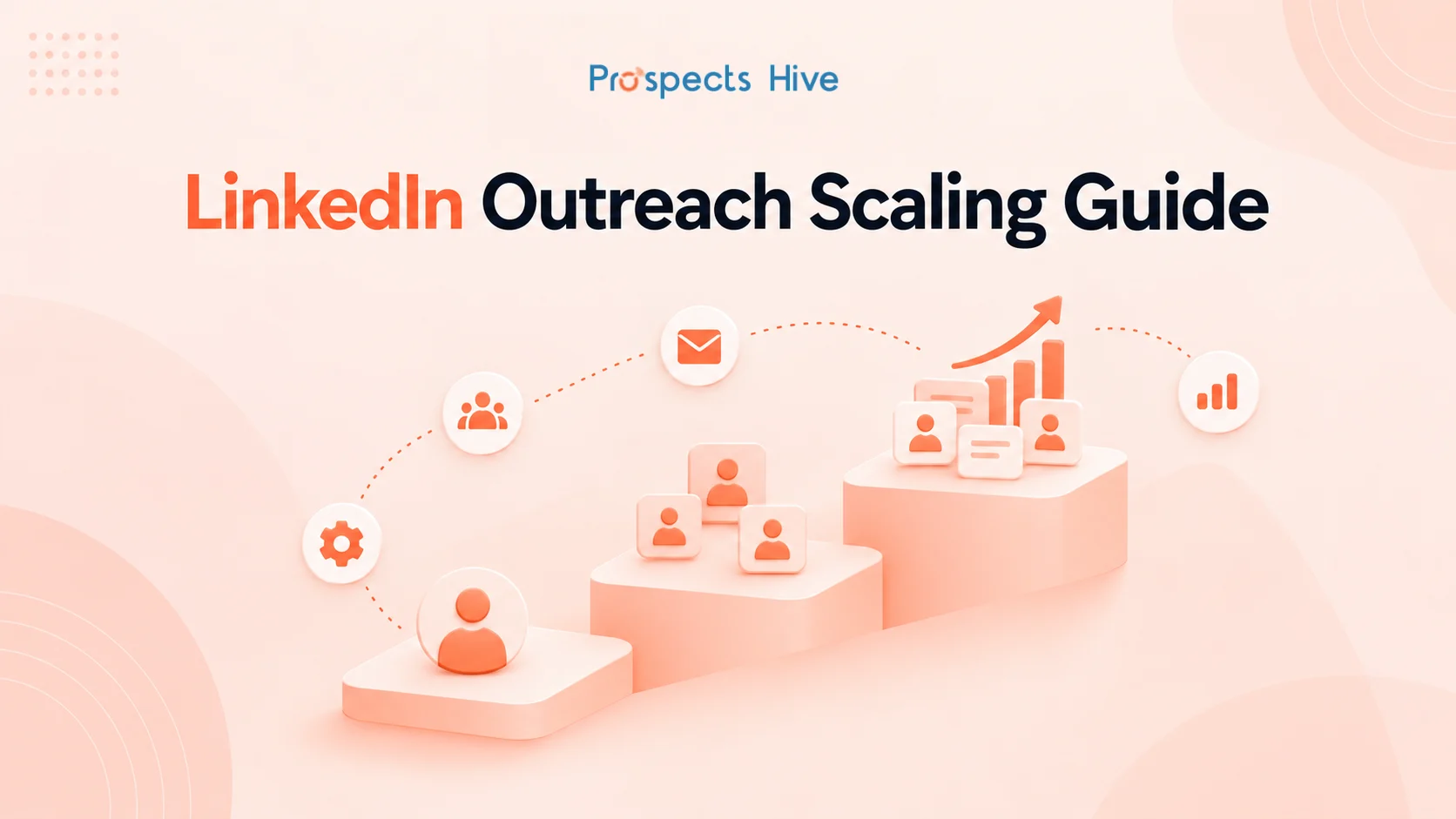
A LinkedIn campaign can work well with 100 prospects and start falling apart when you push it to 1,000. The list gets broader, messages lose context, replies become harder to manage, and several team members may contact the same account without knowing it.
To scale LinkedIn outreach effectively, start with a campaign that already produces qualified conversations. Then expand proven segments, keep qualified prospects entering the pipeline, prioritize stronger intent signals, increase team capacity, and connect every reply to your CRM.
This guide explains how to scale LinkedIn outreach campaigns without losing relevance as volume grows. You will also see how to control prospect quality, manage multiple senders, handle extra replies, and decide when a campaign should scale, change, or stop.
What Does It Mean to Scale LinkedIn Outreach?
Scaling LinkedIn outreach means increasing the number of qualified conversations your campaign can generate without lowering targeting quality or losing control of the process. It is different from simply sending more connection requests or LinkedIn messages.
A scalable campaign expands the whole outreach system. Your prospect sourcing, research, personalization, sender capacity, reply handling, CRM workflows, and reporting all need to support the higher volume.
| Sending More | Scaling Effectively |
| Add more names to a list | Add more qualified prospects |
| Send more connection requests | Expand proven audience segments |
| Automate more activity | Reduce repetitive work around outreach |
| Count total replies | Measure positive and qualified replies |
| Increase activity from one LinkedIn profile | Increase capacity across the sales team |
| Focus on activity | Focus on meetings and pipeline |
If you still need to build the basic outreach process, our guide to LinkedIn outreach strategies for B2B prospecting covers ICP targeting, profile credibility, Sales Navigator, messaging, personalization, and follow-ups in more detail.
How Do You Know Your LinkedIn Campaign is Ready to Scale?
A LinkedIn outreach campaign is ready to scale when the current version consistently reaches the right prospects and creates useful sales conversations. More volume should amplify something that already works, not hide problems in your targeting or message.
Do not make the decision from connection acceptance or raw reply rate alone. Look further down the funnel and ask whether those replies are coming from companies and contacts that match your ICP.
Check Targeting, Replies, and Qualified Meetings First
Your current campaign should show clear signs of audience and message fit before you expand it. That means knowing which segment responds, what problem starts conversations, and whether those conversations lead somewhere useful.
Use a simple readiness check:
| Area | Ready to Scale When |
| Targeting | The right roles and accounts are responding |
| Messaging | One or more angles consistently start relevant conversations |
| Reply quality | Positive replies come from ICP-fit prospects |
| Meetings | Conversations turn into qualified meetings |
| Sales fit | Meetings have real opportunity potential |
| Prospect supply | Similar qualified accounts remain available |
| Team capacity | Replies can be handled without delays |
| CRM | Owners, stages, and follow-ups are recorded clearly |
A high reply rate can still hide weak targeting if most responses are negative or come from poor-fit accounts. Qualified replies and sales conversations tell you much more about whether the campaign deserves more reach.
Make Sure Your Team Can Handle More Conversations
Your response capacity should grow before your send volume does. If a campaign produces more interested prospects than your team can respond to properly, successful outreach can create its own bottleneck.
Define who monitors replies, who qualifies interest, and who takes over when a prospect wants to talk. Set the process before adding another large batch of prospects.
10 Ways to Scale LinkedIn Outreach Campaigns Effectively
Once your campaign is producing qualified responses, scale it through the following steps while keeping targeting, personalization, and sales follow-up under control.
1. Scale Your Best-Performing Prospect Segments
The safest place to expand is around the prospect segment already producing qualified results. Starting with proven patterns gives you a baseline against which every new audience can be measured.
Suppose sales leaders at 50 to 200-person SaaS companies are responding to a specific operational problem. Expanding first into closely related accounts gives you cleaner data than suddenly targeting every sales leader across several industries.
Expand One Targeting Variable at a Time
Change one important audience variable at a time so you can see what affects campaign performance. If you change industry, seniority, company size, message, and volume together, you will struggle to identify why results changed.
A controlled expansion could look like this:
- Proven ICP and proven trigger.
- Same ICP with another relevant trigger.
- Adjacent role inside similar accounts.
- Adjacent company-size band.
- Closely related industry or use case.
Compare each new segment against the original one. Keep expanding where qualified outcomes remain healthy and stop where prospect quality starts falling.
Keep Prospect Quality High as Your Lists Grow
Larger prospect lists often contain weaker matches because the strongest accounts get selected first. The goal is not to preserve list size but to preserve the criteria that made the first segment worth contacting.
Set minimum qualification rules before leads enter a LinkedIn outreach campaign. Company fit, relevant role, location, business model, seniority, current need, and meaningful intent signals may all help depending on your offer.
2. Add Qualified Prospects Consistently
A scalable LinkedIn outreach campaign needs a repeatable flow of qualified prospects rather than one large list that eventually runs out. Prospect sourcing should continue while existing campaigns are running.
A practical flow looks like this:
Source → Enrich → Qualify → Prioritize → Deduplicate → Assign → Outreach → Recycle
LinkedIn Sales Navigator can support account and lead discovery through filters and saved searches. Enrichment tools can then add company and contact context before your team decides whether the prospect belongs in an active campaign.
Source, Enrich, Qualify, and Deduplicate New Prospects
Every new prospect should pass the same qualification logic before entering an outreach sequence. This protects campaign performance as the number of records grows.
A scalable prospecting workflow should check:
- ICP and account fit
- Relevant role and seniority
- Current company information
- Useful firmographic data
- Previous outreach history
- Existing CRM records
- Active opportunities
- Previous negative responses
- Duplicate contacts
- Current campaign ownership
Deduplication becomes especially important when several lists, campaigns, and sales reps operate at once. A prospect who already has an active conversation should not accidentally enter another cold outreach campaign.
Prioritize Prospects Using Fit and Timing Signals
Prospects with stronger fit and timely signals should receive attention before lower-priority records. At scale, prioritization helps your team spend research and outreach effort where it has the strongest business reason.
Useful signals can include:
- A recent job change
- A relevant senior hire
- Active hiring
- New funding
- Company expansion
- Product or service launches
- Relevant LinkedIn activity
- Industry event participation
- Engagement with relevant content
Do not treat a trigger as proof that a prospect is ready to purchase. Use it as context that helps you decide who deserves research first and why the timing may matter.
A simple priority model can help:
| Prospect Situation | Priority |
| Strong ICP fit + Relevant recent signal | Contact first |
| Strong ICP fit + No current signal | Standard outreach |
| Moderate fit + Strong signal | Review before outreach |
| Weak fit + No useful signal | Exclude |
3. Personalize LinkedIn Outreach as You Scale
Personalization should become more structured as campaign volume grows, not disappear. The practical goal is to spend deeper research time on prospects where that effort is most valuable.
Trying to manually research every contact at the same depth wastes time. Sending the same template to everyone creates the opposite problem.
Match Personalization Depth to Prospect Value
Different prospect tiers should receive different levels of research and personalization. This lets your sales team preserve relevance without spending ten minutes on every record.
| Prospect Type | Personalization Approach |
| Strategic account | Person and account-level research |
| High-fit prospect with a signal | Signal-based personalization |
| Standard ICP prospect | Role and segment context |
| Lower-priority qualified prospect | Scalable contextual messaging |
A high-value account may deserve research into current initiatives, team structure, recent changes, and known business priorities. A larger standard segment may need a strong role-specific message built around a relevant problem.
Use AI to Improve Research and Message Context
AI is most useful when it reduces research and data-processing work around LinkedIn outreach. It can summarize account information, classify prospects, identify relevant signals, organize enrichment data, and help prepare a first message draft.
Human review still matters because a technically accurate detail can be irrelevant to the conversation. The final message should reflect a real reason to contact that prospect rather than a fact inserted simply because a tool found it.
Increase LinkedIn Sender Capacity Without Losing Control
Higher LinkedIn outreach capacity should come from legitimate team coverage and clear sender ownership rather than pushing one profile to send as much as possible. Each sender should have a real reason to speak with the audience assigned to them.
For example, a founder may be the right sender for strategic accounts while an SDR handles a larger qualified segment. The prospect should understand why that particular person is contacting them.
Use the Right Team Member for Each Prospect Segment
Match senders to the type of conversation they can credibly lead. Role, market knowledge, account importance, and the next sales step should influence that choice.
Using several legitimate team members can also distribute the operational workload. However, each person should use their own account and represent themselves accurately rather than acting as a secondary profile for somebody else.
Keep Every Sender Profile Credible and Relevant
Every sender profile should support the conversation prospects receive. A clear role, current employment information, professional photo, and relevant experience make it easier for a prospect to understand who contacted them.
You do not need another full profile optimization project every time the campaign grows. You do need to check that every new sender presents a consistent and credible reason for joining the outreach motion.
Manage Prospect Ownership Across Multiple Senders
Clear ownership prevents several team members from contacting the same prospect or account independently. Assign each record before outreach starts and make ownership visible in the CRM.
Account-level rules are useful when several stakeholders work at the same company. Your team should know who is being contacted, by whom, and what previous conversations have already happened.
5. Follow LinkedIn’s Limits and Platform Rules as You Scale
LinkedIn outreach should scale within the platform’s current rules instead of relying on an assumed daily connection limit. LinkedIn says invitation restrictions can occur when many invitations are sent quickly, left ignored or pending, marked as spam, or linked to suspected automated activity.
LinkedIn does not publish one universal “safe” number of daily connection requests. Check its current invitation guidance before increasing campaign activity.
Understand Connection Request and InMail Limits
Connection requests and InMail follow different limits. Connection requests are subject to LinkedIn’s invitation limits and restrictions, while InMail availability depends on your subscription and available credits.
LinkedIn currently says Sales Navigator accounts receive 50 InMail credits each month and can accumulate up to 150. You also receive an InMail credit back when the recipient responds within 90 days of the message being sent.
Know What LinkedIn Says About Automated Activity
LinkedIn says it does not allow third-party software or browser extensions that scrape, modify, or automate activity on the LinkedIn website. That means “cloud-based” does not automatically mean an automation method is approved or safe.
Automation can still support work around the campaign. Prospect enrichment, lead scoring, research preparation, CRM updates, reporting, task creation, and internal routing can all reduce manual workload without requiring unauthorized LinkedIn activity.
6. Set Campaign Rules Before Increasing Volume
Campaign controls become essential when more lists, senders, and outreach programs start operating at the same time. Without shared rules, scale can create duplicate messages and conflicting sales conversations.
The CRM should decide whether a prospect is eligible before they enter a new campaign. That decision should use current status, previous outreach, account ownership, and any active sales activity.
Prevent Duplicate Outreach Across Your Team
A prospect should not receive a new cold LinkedIn message while another team member is already speaking with them. The same principle applies when another stakeholder at the account is part of an active opportunity.
Useful suppression rules include:
- Current customers
- Active opportunities
- Open sales conversations
- Previous negative replies
- Recently contacted prospects
- Competitors
- Invalid or disqualified accounts
- Prospects already assigned elsewhere
- These controls matter even more when LinkedIn and email run together. A shared record helps each channel respond to what has already happened instead of behaving like a separate campaign.
Define Who Enters and Leaves Each Campaign
Every LinkedIn campaign should define who can enter, when outreach stops, and what happens after each outcome. These rules prevent prospects from cycling through endless sequences.
For example, a reply should normally remove the prospect from scheduled cold outreach. A “not now” response can move into a later follow-up date, while a clear rejection should trigger suppression.
7. Manage More Replies as Outreach Scales
Reply management becomes a major constraint once a LinkedIn outreach campaign starts producing more conversations. Sending 500 more messages only helps if the team can process the responses those messages create.
The first operational question should be simple: what happens the moment somebody replies? Every common response should have a clear next step.
Route Each Reply to the Right Next Step
Different replies need different handling, so a single “replied” CRM status is not enough. Classifying response types makes follow-up faster and reporting more useful.
| Reply Type | Next Step |
| Interested | Qualify and continue the conversation |
| Wants details | Answer the question and preserve context |
| Referral | Research and route to the correct contact |
| Not now | Record timing and schedule future follow-up |
| Not interested | Stop outreach and suppress |
| Wrong person | Find the relevant stakeholder |
| Meeting request | Book and update the CRM |
This is also where human involvement matters most. Once a real conversation starts, the response should address what the prospect actually said rather than continue a prewritten sequence.
Set Clear Ownership for Qualified Conversations
Every qualified reply should have an owner and a defined next action. Otherwise, response time often becomes less consistent as campaign volume grows.
Decide who monitors replies, who qualifies them, who books meetings, and when an opportunity moves to sales. Keep the conversation history available so the next person does not ask questions the prospect has already answered.
8. Connect LinkedIn Outreach with Your CRM and Sales Workflow
A CRM should become the shared record for prospect status, ownership, outreach history, and sales follow-up as LinkedIn campaigns scale. LinkedIn messages should not remain isolated from the rest of your pipeline.
Record enough information to show where the prospect came from and what happened next. Campaign name, target segment, sender, response type, current status, owner, next action, and meeting outcome can all improve visibility.
Track Prospect Status, Ownership, and Follow-Ups in One Place
Consistent CRM fields make larger LinkedIn outreach campaigns easier to manage. They also give sales leaders a clearer view of which segments and conversations are creating actual opportunities.
Workflow automation can help assign owners, create tasks, update stages, flag high-priority replies, and schedule future follow-ups. This is useful automation because it supports the sales process around LinkedIn rather than trying to imitate a person inside the platform.
Stop Outreach When a Prospect Enters an Active Sales Conversation
Cold sequences should stop when the relationship changes. Continuing scheduled prospecting messages after someone starts a real sales conversation makes your outreach look disconnected.
Use the CRM stage or reply status to trigger campaign suppression. This becomes especially important when email, LinkedIn, and several sales reps share the same prospect pool.
9. Extend Outreach to Email When LinkedIn Alone is Not Enough
Email can extend the reach of a LinkedIn campaign when it is used as a coordinated second channel rather than a duplicate pitch. The prospect should experience one conversation across channels, not two unrelated campaigns.
For example, email may make sense when a high-fit prospect has not engaged on LinkedIn but you have a verified business address and a relevant reason to contact them. If they reply on either channel, update the shared CRM record and adjust the other sequence.
Do not repeat the same message on LinkedIn and email. Our guide on combining LinkedIn outreach with email campaigns covers multichannel sequencing, timing, and messaging in more detail.
10. Track the Metrics That Show Whether Scaling is Working
A LinkedIn outreach campaign has not scaled successfully if message volume rises but qualified meetings and pipeline stay flat. Activity metrics help diagnose a campaign, but sales outcomes show whether the expansion is producing real sales results.
Track the campaign from the first outreach action through to the sales opportunity:
Outreach → Connection → Reply → Positive Reply → Qualified Conversation → Meeting → Qualified Meeting → Opportunity
Measure Qualified Replies, Meetings, and Pipeline
Qualified outcome metrics become more important as volume rises because raw totals can make weak campaigns look healthy. One hundred replies mean little if ninety-five come from prospects who will never fit your offer.
Useful metrics include:
- Connection acceptance rate
- Reply rate
- Positive reply rate
- Qualified reply rate
- Qualified conversations
- Meetings booked
- Meetings held
- Qualified meetings
- Opportunities created
- Pipeline generated
Use acceptance and reply rates to diagnose the top of the outreach process. Use qualified meetings and opportunities to judge whether scaling is improving the business result.
Compare Results by Segment, Campaign, and Sender
Aggregate campaign numbers can hide where performance is improving or declining. Break results down by target segment, sender, outreach angle, trigger type, and campaign version.
For example, overall reply rate may look stable while one newly expanded audience performs far below the original ICP. Segment-level reporting lets you find that problem before it consumes more prospecting capacity.
Know When to Scale, Fix, or Pause a Campaign
Your campaign data should tell you whether the next move is expansion, correction, or a temporary stop. Increasing volume should be a decision based on qualified outcomes rather than a default goal.
| Campaign Result | Likely Issue | Action |
| Strong qualified replies + qualified meeting rate | Audience and message fit | Scale |
| Low acceptance | Targeting, sender, or context | Fix |
| Good acceptance + weak replies | Message or value angle | Fix |
| Many replies + little positive interest | Prospect or offer fit | Fix |
| Positive replies + few meetings | CTA or conversation handling | Fix |
| Meetings + poor sales fit | ICP or qualification | Pause and review |
| Results drop after audience expansion | Prospect dilution | Pause expansion |
| Reply backlog keeps growing | Team capacity | Reduce volume first |
This framework also helps prevent random campaign changes. Fix the stage where performance breaks instead of rebuilding the whole outreach motion every week.
What Usually Goes Wrong When LinkedIn Outreach Scales Too Fast
LinkedIn outreach usually breaks when volume grows faster than the systems supporting it. The result is often weaker prospect quality, duplicate outreach, slower follow-up, or fewer qualified sales conversations.
Common scaling mistakes include:
- Expanding beyond the proven ICP too quickly
- Adding weaker prospects just to grow list size
- Reducing meaningful personalization as volume grows
- Allowing several senders to contact the same account
- Ignoring previous replies and CRM status
- Increasing sends before reply capacity is ready
- Treating every reply as a qualified result
- Changing targeting and messaging at the same time
- Continuing expansion after qualified conversion falls
- Assuming unofficial daily activity numbers guarantee safety
- Using unauthorized tools to automate LinkedIn activity
Do not respond to weak results by changing everything together. Keep the working parts stable, identify where the funnel begins to weaken, and test one meaningful change at a time.
How Prospects Hive Helps Scale B2B LinkedIn Outreach
Prospects Hive helps B2B teams scale LinkedIn outreach by connecting prospect research, targeting, personalized outreach, CRM workflows, and sales follow-up into one operating process. The goal is to create more qualified conversations without letting higher volume create lower-quality prospecting.
That can include:
- ICP and account research
- Targeted prospect sourcing
- Lead enrichment and qualification
- Intent and signal-based prioritization
- Personalized LinkedIn outreach
- Campaign segmentation and coordination
- Reply qualification and meeting handoff
- CRM updates and workflow automation
- LinkedIn and email coordination
- Campaign reporting and optimization
The important part is how these pieces work together. More prospects only create more pipeline when your team can identify the right accounts, reach them with relevant context, handle replies, and track what happens after the conversation begins.
Bottom Line
Effective LinkedIn outreach scaling starts with a campaign that already works and expands the system around it carefully. Keep your best-performing audience as the baseline, add qualified prospects continuously, prioritize stronger signals, and preserve useful personalization as volume increases.
Then make sure sender ownership, CRM status, reply handling, and sales follow-up can support that growth. Scale when qualified conversations and pipeline improve, fix the stage that weakens, and pause expansion when more activity stops creating better opportunities.
Frequently Asked Questions
How do you scale LinkedIn outreach effectively?
Scale LinkedIn outreach by expanding proven prospect segments, maintaining a steady supply of qualified contacts, prioritizing intent signals, and increasing team capacity without losing personalization. Track qualified replies, meetings, and pipeline so higher activity does not become the only measure of growth.
When is a LinkedIn outreach campaign ready to scale?
A campaign is ready to scale when the right prospects consistently respond and those conversations lead to qualified meetings or sales opportunities. Your team should also have enough prospect supply, reply capacity, and CRM visibility to handle the additional volume.
How can you personalize LinkedIn outreach at scale?
Use deeper personalization for strategic accounts and signal-based or role-based context for larger qualified segments. AI and enrichment tools can reduce research time, but a person should still check that the information is relevant before outreach.
Can you use multiple LinkedIn accounts to scale outreach?
A sales team can involve several real team members in outreach when each person uses their own profile and represents themselves accurately. Keep prospect ownership clear so different senders do not contact the same account without coordination.
Should you combine LinkedIn and email when scaling outreach?
LinkedIn and email can work together when each channel has a clear role and shares the same prospect record. Avoid sending duplicate pitches, and stop or adjust scheduled outreach when the prospect responds on either channel.
What metrics should you track when scaling LinkedIn outreach?
Track connection acceptance, reply rate, positive replies, qualified conversations, meetings, qualified meetings, opportunities, and pipeline. Compare those results by segment and campaign so you can see whether expansion is improving quality or only increasing activity.
When should you pause or reduce LinkedIn outreach?
Pause or reduce expansion when qualified reply rates fall, newly added segments perform poorly, sales meetings lose quality, or the team cannot handle incoming conversations. Fix the bottleneck first, then increase volume again only when the underlying campaign is stable.