LinkedIn automation has taken off in the last few years, and honestly, it makes sense. Your inbox is crowded. Decision-makers are busy. And if you’re doing outbound, you can’t spend half your day sending connection requests one by one.
The real issue is that manual outreach just doesn’t scale. You send invites, chase follow-ups, manage replies, and somehow still feel behind. A lot of effort. Unpredictable results.
But automation isn’t risk-free. Push volume too hard, and your account gets restricted. Pick the wrong tool, and your reply rates drop while costs quietly rise.
So instead of hype, this guide ranks the best LinkedIn automation tools by safety, performance, and real ROI, so you can grow without gambling your account.
Read This Before Choosing a Tool
- LinkedIn automation technically violates ToS
- Cloud tools are generally safer than browser extensions
- More messages ≠ more replies
- Safety > features
- Multichannel > LinkedIn-only
- CRM integration is non-negotiable
- Automation doesn’t replace personalization
Quick Comparison Table: 20+ Best LinkedIn Automation Tools at a Glance
Before we jump into the real detail talk, let’s have a quick look at the comparison table. This table will help you to find out the ideal match based on your business needs.
| Tool | Starting Price | Best For | Architecture | CRM Integration | Multichannel | Ideal Team Size | Safety Level |
| Lemlist | $59/mo | LinkedIn + Email outbound | Cloud | Native CRM + Zapier | LinkedIn + Email | SMB to Mid | Higher |
| HeyReach | $79/mo | Multi-account LinkedIn scale | Cloud | HubSpot, Pipedrive, Zapier | LinkedIn only | Agencies | Higher |
| GetSales | $79/mo | Basic LinkedIn sequences | Cloud | Zapier | LinkedIn only | Solo to Small | Medium |
| Expandi | $99/mo | Advanced LinkedIn automation | Cloud | Zapier + integrations | LinkedIn + Email | Small to Mid | Higher |
| Dripify | $39/mo | Cloud LinkedIn sequences | Cloud | HubSpot / Salesforce (Zapier) | LinkedIn only | Solo to SMB | Higher |
| LaGrowthMachine | $60/mo | Multichannel orchestration | Cloud | Native CRM | LinkedIn + Email + Twitter | SMB to Mid | Higher |
| Waalaxy | $16/mo | Budget multichannel | Hybrid (Extension + Cloud) | Native CRM | LinkedIn + Email | Solo to Agency | Medium |
| Reply.io | $99/mo | Full multichannel outbound | Cloud | Native CRM | LinkedIn + Email + Calls | SMB to Mid | Higher |
| Prosp.ai | $79/mo | AI-personalized LinkedIn outreach | Cloud | CRM sync | LinkedIn only | Solo to SMB | Higher |
| Salesflow | $99/mo | LinkedIn automation | Cloud | CRM sync | LinkedIn only | Small to Mid | Higher |
| We-Connect | $69/mo | Safe LinkedIn campaigns | Cloud | Zapier | LinkedIn only | Solo to Small | Higher |
| Botdog | $69/mo | LinkedIn outreach sequences | Cloud | Limited | LinkedIn only | Solo to Small | Medium |
| MeetAlfred | $59/mo | LinkedIn + Email + Twitter | Cloud | Zapier | Multichannel | Small teams | Medium |
| Bearconnect | $59/mo | AI + outreach hybrid | Cloud | Limited info | LinkedIn + Content | Solo to Small | Unknown |
| SalesRobot | $59/mo | LinkedIn + Email automation | Cloud | Zapier | LinkedIn + Email | Solo to Small | Medium to Higher |
| Aimfox | $49/mo | AI outbound workflows | Cloud | Limited info | LinkedIn + Email | Solo to SMB | Medium |
| LinkedFusion | $65.95/mo | LinkedIn automation | Cloud | Limited | LinkedIn only | Solo to Small | Medium |
| LinkedIn Helper | $15/mo | Budget LinkedIn-only | Desktop | CSV export | LinkedIn only | Solo | Medium |
| Gojiberry.ai | $99/mo | AI prospecting & engagement | Cloud | Limited info | LinkedIn + Content | Solo to Small | Unknown |
| Teamfluence | $89/mo | LinkedIn engagement automation | Cloud | Limited | LinkedIn only | SMB to Mid | Higher |
| PhantomBuster | $69/mo | Scraping + workflow automation | Cloud | API/Zapier | Multi-platform | Technical teams | Medium |
The Best 5 LinkedIn Automation Tools (Deep Breakdown)
Among the 20+ best LinkedIn automation tools, we’ve filtered the top 5 for you. Here you will find a deep breakdown of these tools.
1. Lemlist
Pricing
Starts at $25/month (Email Warm-Up). LinkedIn workflows are available from $83/month (Sales Engagement plan).
Best for
Teams running email-first multichannel outbound with strong personalization and CRM integration.
Overview
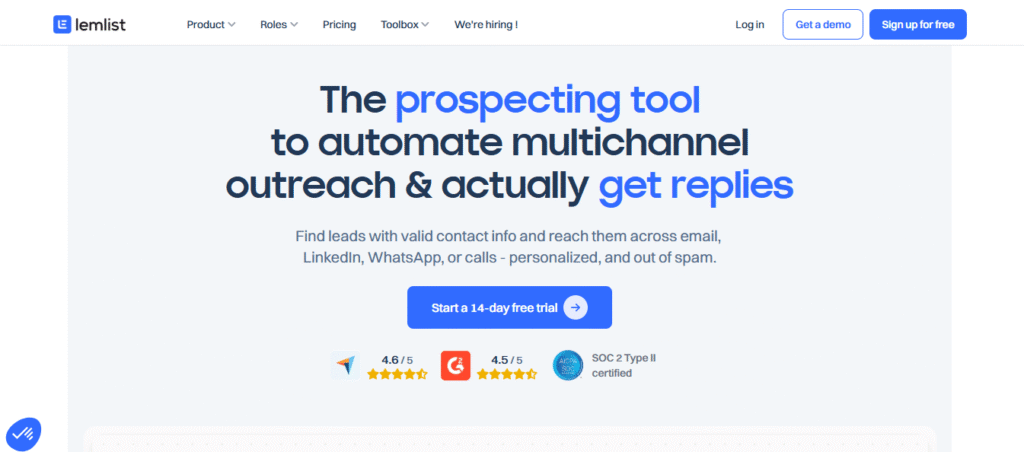
Lemlist is a cloud-based multichannel outreach platform built primarily around email deliverability and personalization, later expanding into LinkedIn actions and cold calling. It’s not a LinkedIn-only automation tool.
Instead, it positions itself as a full outbound engagement system that combines email, LinkedIn, and calls in structured sequences.
💡The Future of Outbound Sales: How Automation is Changing the Game
Its core strength lies in high personalization, deliverability protection, and CRM integration. If your strategy is email-first with LinkedIn as a supporting channel, Lemlist fits well. If you want deep LinkedIn-native automation, it may feel limited.
Key Features
- Multichannel sequence builder (Email → LinkedIn → Calls)
- Advanced personalization (dynamic variables, images, videos, AI icebreakers)
- Built-in email warm-up tool (“lemwarm”) for deliverability
- CRM integrations (HubSpot, Salesforce, Pipedrive) + Zapier/Make
- Unified inbox to manage replies across channels
Pros and Cons
| Pros | Cons |
| Strong multichannel automation (email + LinkedIn + calls) | LinkedIn automation depth is limited compared to LinkedIn-only tools |
| Excellent deliverability focus with lemwarm | Pricing increases as you scale seats/accounts |
| Powerful personalization capabilities |
Safety Notes
Lemlist does not automate LinkedIn as aggressively as extension-based tools. Its strength is structured, multichannel drip logic rather than high-volume LinkedIn blasting.
Because it focuses heavily on email warm-up and gradual sequence logic, it’s generally perceived as safer than volume-driven LinkedIn-only automation tools. However, LinkedIn activity still requires conservative limits and proper configuration to avoid account restrictions.
2. HeyReach
Pricing
Starts at ~$79 per sender/month. Agency plan ~$999/month. Unlimited plan ~$1,999/month.
Best For
Agencies and GTM teams managing multiple LinkedIn accounts at scale.
Overview
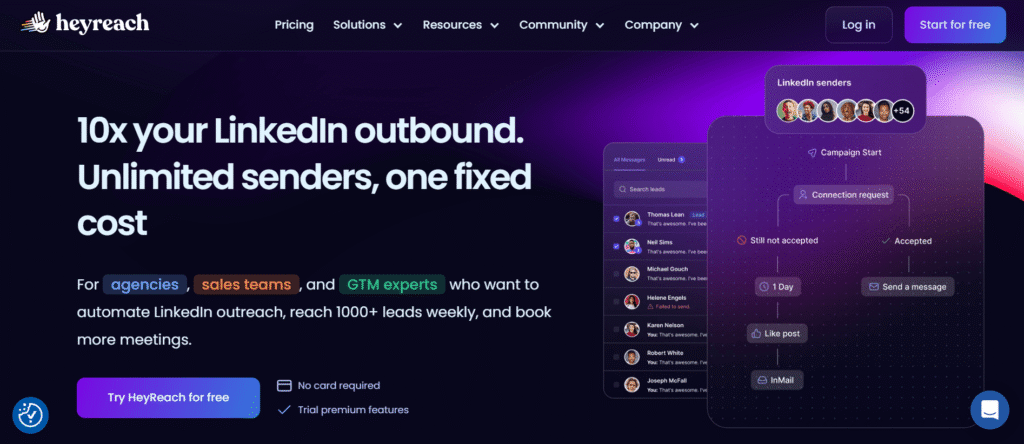
HeyReach is a cloud-based LinkedIn automation platform built specifically for high-volume outreach and multi-account management.
Unlike solo-focused tools, it’s designed for agencies and sales teams that need to rotate multiple LinkedIn senders, centralize conversations, and scale campaigns safely.
Its strength lies in infrastructure: account rotation, workspaces, unified inbox, and CRM integrations.
If LinkedIn is your primary outbound channel and you’re running campaigns across many accounts, HeyReach provides the structure to do it efficiently. However, it’s LinkedIn-centric and not a full multichannel engagement tool.
💡 Outbound vs Inbound Sales: Which Strategy Actually Grows Your B2B Pipeline?
Key Features
- Multi-account sender rotation to scale outreach safely
- Visual campaign builder with delays, branching logic, and lead tracking
- Unified inbox (“Unibox”) to manage replies across all accounts
- Agency workspaces with role-based permissions and client separation
- CRM integrations (HubSpot, Pipedrive, Clay) + Zapier, API, webhooks
Pros and Cons
| Pros | Cons |
| Excellent for multi-account LinkedIn outreach | LinkedIn-only (no native email/call multichannel) |
| Strong team & agency management features | Pricing may be high for solo users |
| Built-in safety controls with rotation & limits |
Safety Notes
HeyReach emphasizes account safety through action caps (typically ~40 actions/day per account), sender rotation, and proxy support. Campaigns run in the cloud, and distribution across accounts reduces aggressive activity from a single profile.
That said, no LinkedIn automation tool is risk-free. Because it requires LinkedIn credentials and multi-account scaling, proper configuration and conservative limits are essential to avoid restrictions.
3. GetSales
Pricing
Starts at $79/month
Best For
Agencies and GTM teams running high-volume LinkedIn outreach with multiple sender accounts
Overview
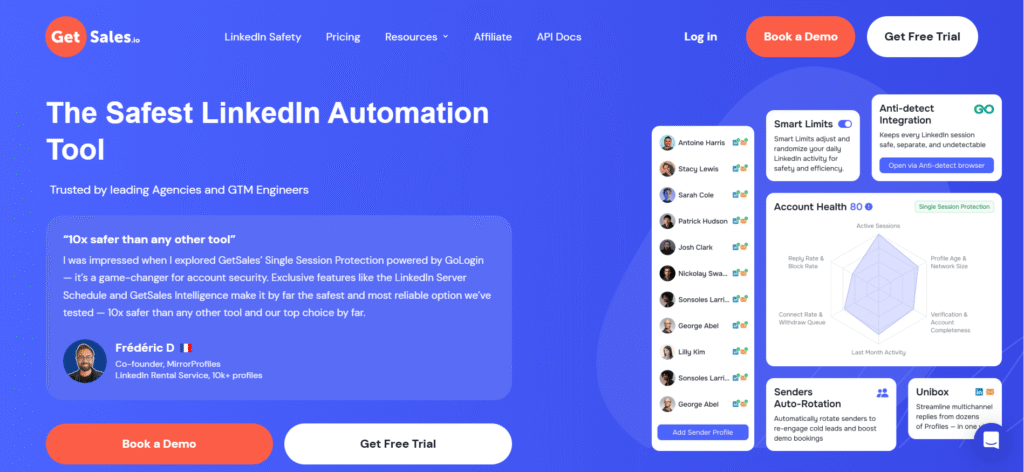
GetSales is a cloud-based LinkedIn automation platform built for account-level outbound and multi-sender scaling. It positions itself as a safety-first solution, emphasizing infrastructure over flashy features.
With rotating sender profiles, unified inbox, and account-based automation, it’s designed for agencies and GTM engineers who need structured, high-volume LinkedIn outreach.
Unlike lightweight browser tools, GetSales focuses on session protection, proxy management, and automation stability. It supports LinkedIn and email rotation but remains primarily LinkedIn-centric in its strategy.
Key Features
- Rotating sender profiles to scale outreach safely
- Single Session LinkedIn Protection (anti-detect infrastructure)
- Unified inbox managing 50+ LinkedIn profiles
- Account-based automation with multi-step workflows
- CRM integrations via API, webhooks, HubSpot, Pipedrive, Zapier
Pros and Cons
| Pros | Cons |
| Strong safety infrastructure (session protection + proxies) | Primarily LinkedIn-focused (limited true multichannel depth) |
| Built for multi-account scaling and agencies | Requires technical setup for optimal configuration |
| Unified inbox + account-level analytics |
Safety Notes
GetSales heavily markets safety as its core differentiator. Features such as Single Session Protection, LinkedIn Server Scheduling, proxy support, and sender rotation aim to reduce detection risk.
When configured conservatively, GetSales is positioned as a medium-to-higher safety option compared to basic browser extensions.
4. Expandi
Pricing
$99/month per LinkedIn account (7-day free trial)
Best For
Agencies and growth teams needing advanced LinkedIn sequences with hyper-personalization.
Overview
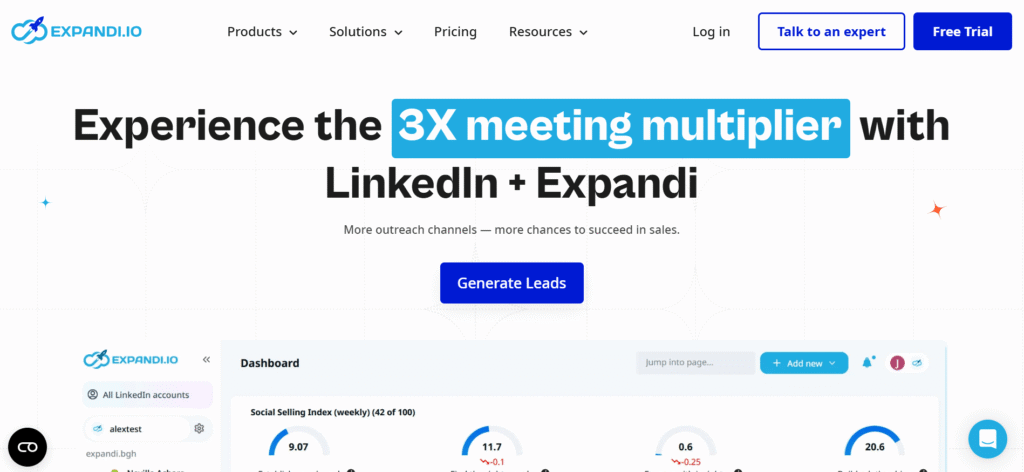
Expandi is a cloud-based LinkedIn automation platform built for scalable B2B outreach. It’s especially popular with agencies and recruitment teams that need structured campaign logic, smart sequencing, and multi-account management.
The platform supports advanced automation workflows like,
Connect → Message → Follow-up → Email → InMail,
with conditional logic and A/B testing. Expandi stands out for hyper-personalization features, including dynamic images and GIFs (via Hyperise) and video add-ons.
It’s feature-rich and powerful, but priced at a premium compared to entry-level tools.
Key Features
- Smart multi-step campaign builder with conditional logic
- Hyper-personalization (dynamic images, GIFs, video add-ons)
- Cloud-based automation with IP rotation and warm-up modes
- A/B testing for campaign optimization
- CRM integrations via webhooks, Zapier, and Make
Pros and Cons
| Pros | Cons |
| Advanced sequencing and personalization features | Higher price compared to entry-level tools |
| Cloud-based with built-in safety controls | Limited native CRM integrations |
| Strong for agencies and team collaboration |
Safety Notes
Expandi runs fully in the cloud and uses dedicated IPs, random delays, warm-up modes, and action caps (typically ~100 actions/day) to mimic human behavior.
While it promotes a strong safety infrastructure, no automation tool guarantees immunity from LinkedIn restrictions. Campaigns must stay within conservative daily limits, especially when scaling multiple accounts.
When used responsibly, Expandi is considered one of the safer cloud-based LinkedIn automation options available.
5. Dripify
Pricing
Starts at $59/month per user (plans up to $99/month, 7-day free trial)
Best For
LinkedIn-only outreach teams that want a polished, easy-to-use cloud automation tool
Overview
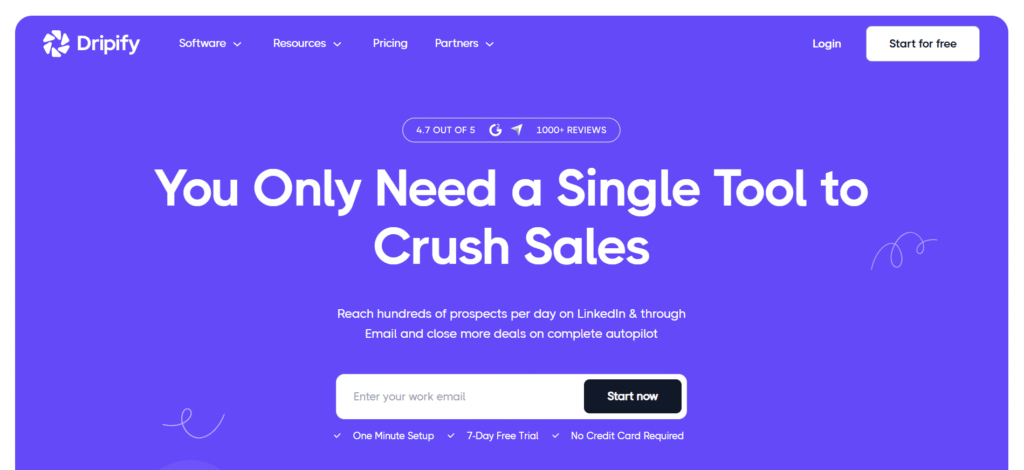
Dripify is a cloud-based LinkedIn automation and sales engagement platform built for structured, data-driven prospecting. It’s known for having one of the most polished and intuitive interfaces in the space, making campaign setup fast even for non-technical users.
Unlike browser extensions, Dripify runs fully in the cloud, so campaigns continue 24/7 without keeping your laptop open. It supports multi-step drip campaigns combining connection requests, profile visits, messages, InMails, and even email steps.
It’s especially popular with SMB sales teams, agencies, and founders who rely heavily on LinkedIn as their primary outbound channel.
Key Features
- Drag-and-drop multi-step campaign builder with conditional logic
- Automated LinkedIn actions (connect, message, follow-up, endorse, view)
- Cloud-based automation with smart scheduling and throttling
- Email finder, enrichment, and basic multi-channel support
- Analytics dashboard + team management tools
Pros and Cons
| Pros | Cons |
| Clean, intuitive UI with easy campaign setup | Limited native CRM integrations (Zapier/Make required) |
| Cloud-based, runs 24/7 without browser | Prospect import limits and daily quotas |
| Strong personalization with drip logic |
Safety Notes
Dripify enforces activity limits, random delays, throttling, and working-hour scheduling to mimic human behavior. Campaigns run at controlled speeds to reduce the risk of LinkedIn restrictions.
Safety ultimately depends on how aggressively you use it. Staying within conservative daily limits and gradually warming up accounts are critical. When used responsibly, Dripify is considered one of the safer cloud-based LinkedIn automation tools for structured outreach.
Automation is Just One Piece of GTM
Let’s zoom out for a second.
Most teams think the problem is speed. So they buy an automation tool.
- More invites.
- More follow-ups.
- More volume.
But volume without targeting just accelerates mistakes.
- If your ICP is fuzzy, automation only spreads the wrong message faster.
- If your positioning is unclear, sequences won’t save you.
- If your data is outdated, no tool will fix low reply rates.
Automation doesn’t create demand. It amplifies whatever system already exists, good or bad.
That’s why some teams run 1,000 connection requests and book zero meetings. The issue isn’t the tool. It’s the foundation.
Generic automation says: “Send 100 connection requests today.”
Signal-based outbound asks:
- Who just raised funding?
- Who just changed roles?
- Who just engaged with relevant content?
When you combine buying signals with structured sequencing, reply rates change dramatically.
Because timing beats volume and relevance beats templates.
Automation should distribute the right message to the right person at the right moment, not blast the same pitch at scale.
Automation tools are just one layer. The real GTM engine looks like this:
- Data Enrichment: Clean, verified contact data. Role changes. Funding events. Tech stack insights.
- CRM: A single source of truth. No spreadsheets. No lost conversations.
- Multichannel Execution: LinkedIn + email + calls working together, not in silos.
- Personalization Layer: Dynamic variables, contextual hooks, and intent triggers.
- Tracking & Optimization: Acceptance rates. Reply quality. Pipeline attribution. Not vanity metrics.
Buying the “best LinkedIn automation tool” doesn’t mean you built a growth engine. It means you bought a distribution mechanism.
Without structure, messaging clarity, and signal-based targeting, tool hopping becomes the default strategy. And tool hopping never builds a predictable pipeline.
Structured outbound is repeatable. It’s measurable. It compounds over time.
At Prospects Hive, we treat automation as infrastructure, not strategy. The strategy comes first. Because automation is powerful. But only when it’s plugged into a real GTM system.
💡 Learn, AI GTM in Outbound Marketing 2025: Strategies, Benefits & Tools
Conclusion
LinkedIn prospecting in 2026 isn’t about mass outreach or endless manual tasks; it’s about smarter, scalable systems. Success now depends on:
- AI-powered targeting that finds the right decision-makers.
- Authentic personalization that builds trust at scale.
- Sustainable workflows that balance automation with compliance.
With the right setup, sales teams can keep pipelines full, boost reply rates, and focus on closing deals while automation handles the heavy lifting.
That’s exactly where Prospects Hive steps in. Our AI-driven automation platform streamlines LinkedIn outreach, optimizes multi-channel campaigns, and delivers predictable pipeline growth for B2B teams.
FAQs
1. Are LinkedIn automation tools safe?
LinkedIn automation tools are not officially approved by LinkedIn, so there is always some risk. Cloud-based tools with activity limits and delays are generally safer than aggressive bots. Safety depends on how responsibly you use them.
2. How many connection requests can I send per day safely?
Most experts suggest staying under 15–20 connection requests per day (around 100 per week). Start lower for new accounts and increase gradually while monitoring acceptance rates.
3. Can LinkedIn automation get your account banned?
Yes. If you exceed limits or automate aggressively, LinkedIn may restrict or ban your account. Using conservative daily limits reduces this risk.
4. What’s better: LinkedIn automation or cold email?
LinkedIn automation works well for relationship-based outreach. Cold email works better for direct, scalable prospecting. The best strategy often combines both.
5. Do LinkedIn automation tools integrate with CRM?
Yes. Most tools connect with CRMs like HubSpot, Salesforce, and Pipedrive using native integrations or Zapier/Make.
6. Is LinkedIn automation worth it?
It’s worth it if you have clear targeting, strong messaging, and proper tracking. Without strategy, automation alone won’t deliver results.
7. What is the difference between LinkedIn automation and LinkedIn scraping tools?
LinkedIn automation tools send messages and run outreach sequences. LinkedIn scraping tools collect profile and lead data.