You’ve spent hours building your LinkedIn network, connecting with decision-makers, and nurturing relationships.
But the thing is, LinkedIn’s algorithm controls who sees your updates, and many valuable connections can slip through the cracks. It’s easy to lose touch with prospects once you rely too much on the platform.
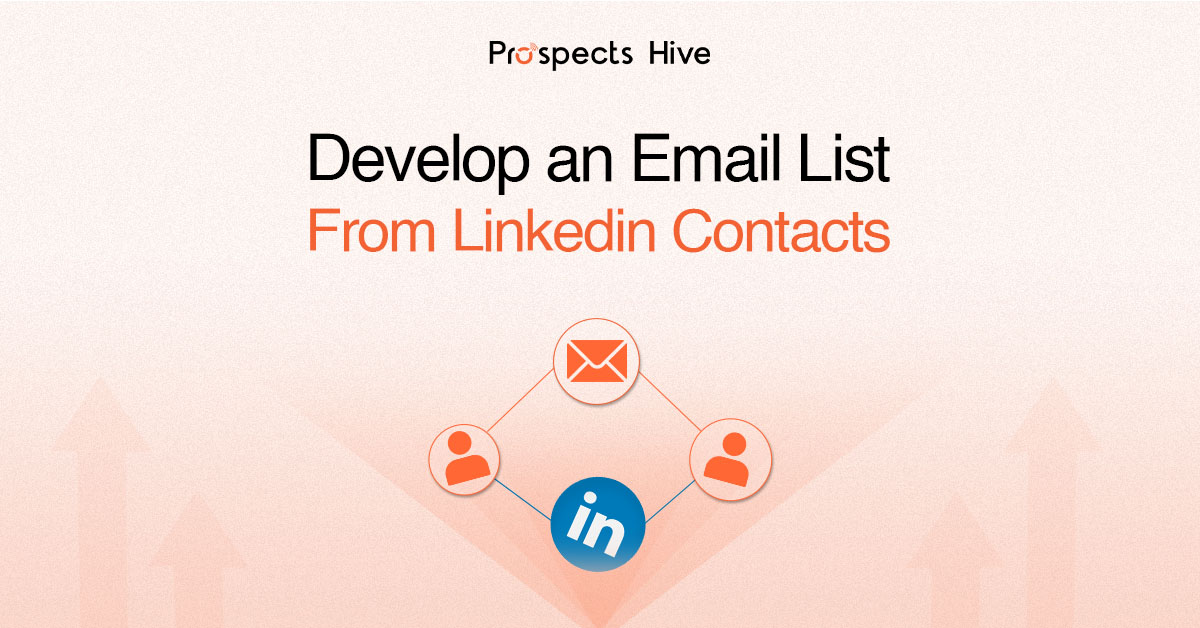
That’s where the question arises: how do I develop an email list from LinkedIn contacts?
The answer is simple: Take control of your connections.
By owning your email list, you gain direct access to your prospects, providing a reliable channel to nurture and convert leads.
Want to explore more in detail? Read on…
Key Notes
- LinkedIn is great for B2B connections, but owning your email list gives you control.
- Email lists are better than social media because you own them.
- Stay GDPR-compliant and use email verification to avoid bounce rates.
- Use tools like CRM integrations and email finders to build and verify your list.
How Do I Develop an Email List from Linkedin Contacts?
Highly discussed topic, how do I develop an email list from LinkedIn contacts is finally decoding. Let’s read on.
1. Optimize Your LinkedIn Profile
LinkedIn profile is often the first impression potential leads have of you, so why not make it work for you? With the right optimizations, your profile can act as a lead magnet, attracting email sign-ups and encouraging meaningful connections.
- Headline
Your headline is prime real estate. Instead of just listing your job title, make it an irresistible offer. For example,
“Helping [Industry] Achieve [Desired Outcome]—Get My Free [Resource] Now!”
This not only grabs attention but also clearly communicates the value you offer.
- About Section
This is where you can dive deeper into what you do and how you can help your audience.
Highlight your expertise and include a call to action (CTA) encouraging people to download your free lead magnet or sign up for your email list. Make sure the CTA stands out and clearly explains what visitors will get by signing up.
- Featured Section
The Featured Section is often overlooked, but it’s a great place to showcase your best lead magnets, such as free guides, checklists, or webinars.
Upload your content directly, or link to a landing page where visitors can opt in. Make it visually appealing, so it catches attention.
- Contact Info
Your Contact Info section should never be empty. Include a direct link to your email sign-up landing page, so visitors can easily opt in to your list. Keep it clear and accessible for maximum conversion.
2. Email Finder for Efficient Email List Building
Building an email list from LinkedIn connections is incomplete without the right tools to verify and enrich the data. While LinkedIn gives you valuable connection details, email finders help fill in the missing pieces of professional email addresses.
These tools work by searching the web for publicly available email addresses linked to a specific LinkedIn profile. Provide the best match based on historical data, ensuring that you’re not wasting time guessing or sending cold emails.
Some email finder tools are Apollo, Lusha, GetProspect etc,.
3. Export/Download LinkedIn Contacts
LinkedIn makes it easy to export your connections with just a few clicks. Here’s a quick guide on how to download your LinkedIn contacts:
- In your LinkedIn account, navigate to Settings & Privacy, then click on Data Privacy.
- Select Get a copy of your data, then choose Download a larger data archive, including connections. The data will be exported as a standard CSV file.
- Once processed, you’ll receive a link to download the CSV file containing basic information such as names, job titles, and companies.
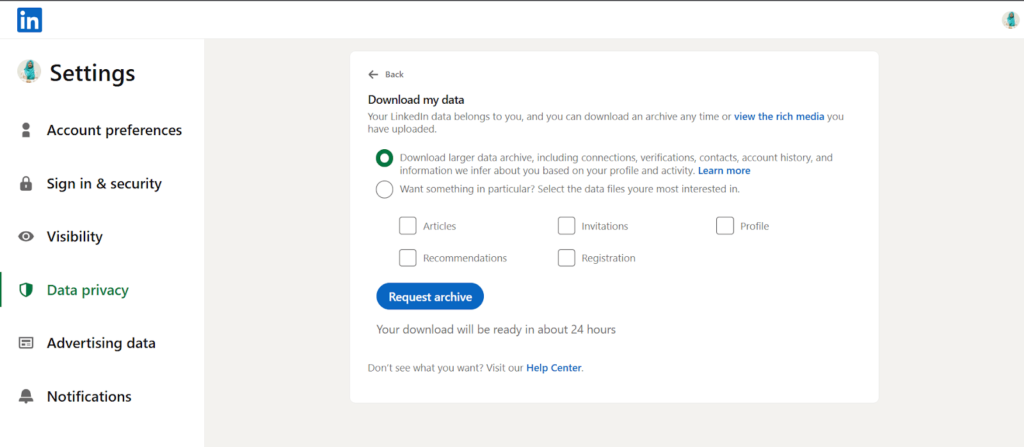
Note: keep in mind that LinkedIn does not provide email addresses in this export file.
To move beyond the basic contact details, you’ll need to use enrichment tools to fill in the gaps and get verified emails. These tools help you find professional emails for your connections and ensure the data is ready for outreach.
4. Use LinkedIn Events & Webinars to Drive Email Sign-ups
LinkedIn events and webinars offer a unique opportunity to engage your audience while capturing valuable email sign-ups. Hosting an exclusive LinkedIn-only event creates a sense of urgency and value, motivating prospects to register.
Make email sign-up a requirement for registration. This ensures you’re collecting direct contact information from attendees.
Link your event registration page to a dedicated landing page, where visitors can easily enter their details to secure their spot.
The key to success is aligning your webinar topic with your audience’s needs, challenges, or aspirations.
5. Create a Landing Page for Email Opt-ins
Landing pages are great for converting website visitors into email subscribers.
Dedicated landing pages focus on one thing: getting users to sign up and share their email addresses.
Lead magnets, such as ebooks or guides, are offered on these pages to attract users. They are prompted to provide their email addresses to access the lead magnet.
Here’s what needs to be done:
- Start by designing visually appealing, user-friendly landing pages that clearly highlight your lead magnet’s value proposition.
- Use persuasive copy and compelling visuals to convey the benefits of subscribing to your email list.
- Integrate clear and prominent call-to-action buttons that encourage visitors to take action and download your lead magnet.
- Optimize your landing pages for mobile devices to ensure a smooth user experience across all devices.
6. Turn Your LinkedIn Posts into Lead Magnets
Every LinkedIn post you share is an opportunity to drive email sign-ups. Instead of just sharing content, turn each post into a lead magnet by linking to your lead magnet or landing page.
For example, include a call-to-action at the end of your posts that encourages followers to take immediate action.
Make it compelling and time-sensitive, like: “Download my free guide today and unlock proven strategies to grow your business!”
7. The Role of LinkedIn Groups in Email List Building
LinkedIn groups are often an overlooked resource for building a highly-targeted email list. These groups offer a unique opportunity to connect with niche communities and engage directly with members who are genuinely interested in your expertise.
To leverage this, start by joining relevant groups within your industry or target market. Engage actively by asking questions, offering advice, and sharing insightful content.
When it’s relevant, direct message group members to register to your email sign-up or lead magnet to capture their contact information.
If you want to take it a step further, consider creating your own LinkedIn group. This allows you to curate a community around your niche, where email sign-ups may be required for entry.
This exclusive access helps attract leads while positioning you as a thought leader within that space.
8. Verify Contacts for Accuracy
Verifying email addresses is essential to keeping your email list clean and effective. Without verification, you risk sending emails to invalid or inactive addresses, which can increase bounce rates and damage your sender reputation.
To avoid this, use email verification tools to check addresses before sending. This prevents issues like bounced emails or messages sent to blocked addresses.
Regularly verifying your list helps maintain high deliverability and ensures you’re reaching qualified leads.
Make email verification a routine part of your process to keep your list in top condition.
Conclusion
Owning your LinkedIn connections and turning them into an email list is a game-changer. It gives you a direct line to nurture and convert leads, bypassing LinkedIn’s algorithm.
Start applying the steps today and see your email list grow.
At Prospects Hive, we help businesses optimize LinkedIn lead generation for maximum ROI with our allbound marketing approach.
Ready to take your LinkedIn efforts to the next level? Contact us today and get started!
FAQ
1. Is It Legal to Collect Email Addresses From LinkedIn?
Yes, it is legal as long as you follow GDPR and other data protection laws. Always get consent before using someone’s email for outreach.
2. What are Some Examples of Lead Magnets That Work Well for LinkedIn?
Free resources such as checklists, guides, mini-courses, or industry case studies are effective LinkedIn lead magnets.
3. How Can I Increase my LinkedIn Connections Quickly?
Post valuable content regularly, engage with others’ posts, and use LinkedIn’s Sales Navigator to find and connect with your ideal audience.